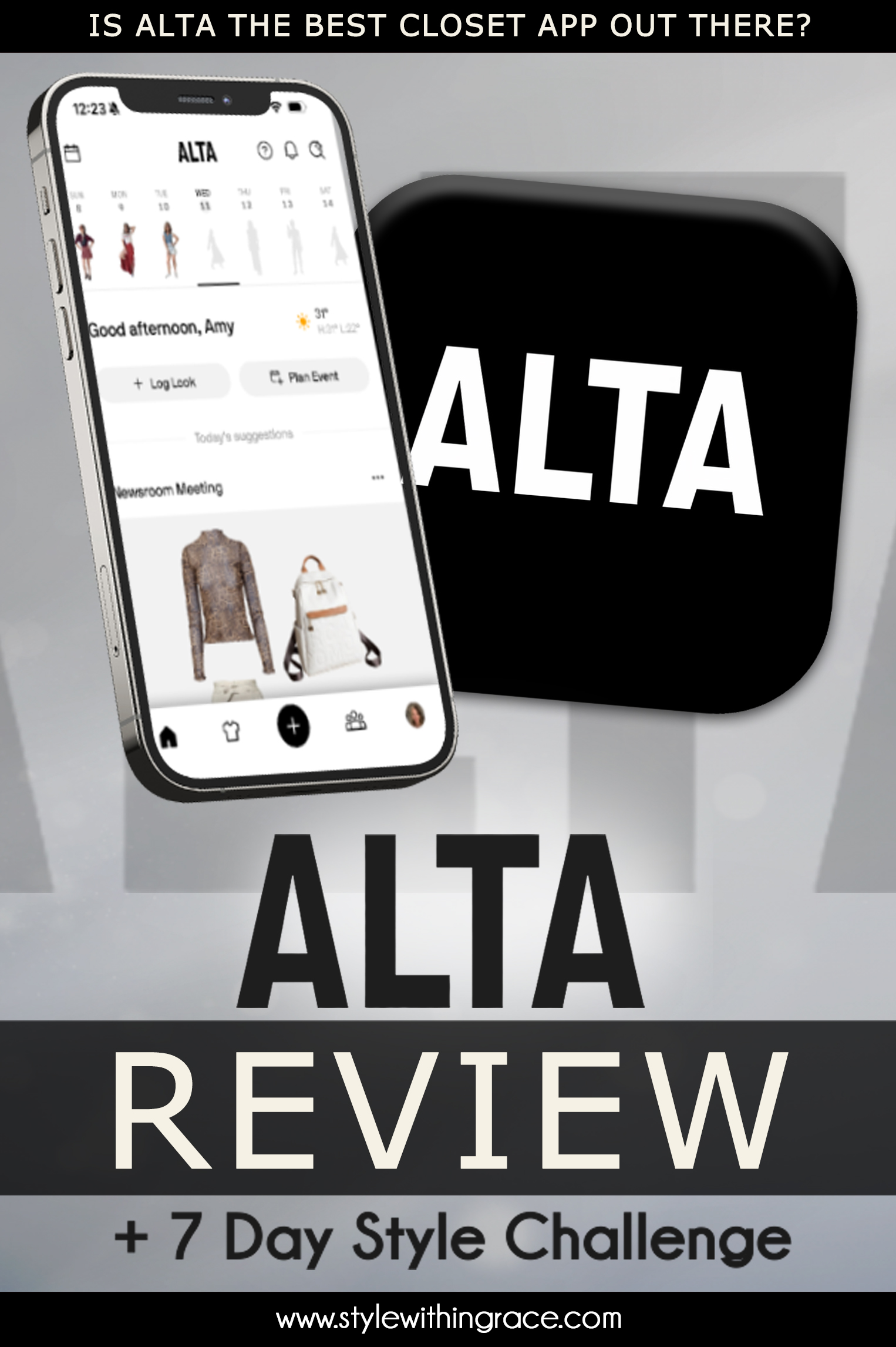
To really test it, I’m letting Alta’s AI stylist pick my outfits for a full week. Every look you’ll see comes from the app. I’ll be giving my honest thoughts on whether Alta actually nailed my style or completely missed the mark. We’ll cover Alta’s main menus and features. I’ll show you how it compares to other apps I’ve tried.
Curious if Alta could be your next wardrobe sidekick? Watch below for my indepth Alta review or read below for the blog version, because we’re jumping straight into the features.
Alta Review and Closet App Walk Through
Home
The Home screen is your starting point. Right at the top, you’ll see a week view of the calendar, along with today’s temperature and weather forecast. You can instantly see what you’ve worn, what you’re wearing today, and what’s coming up.
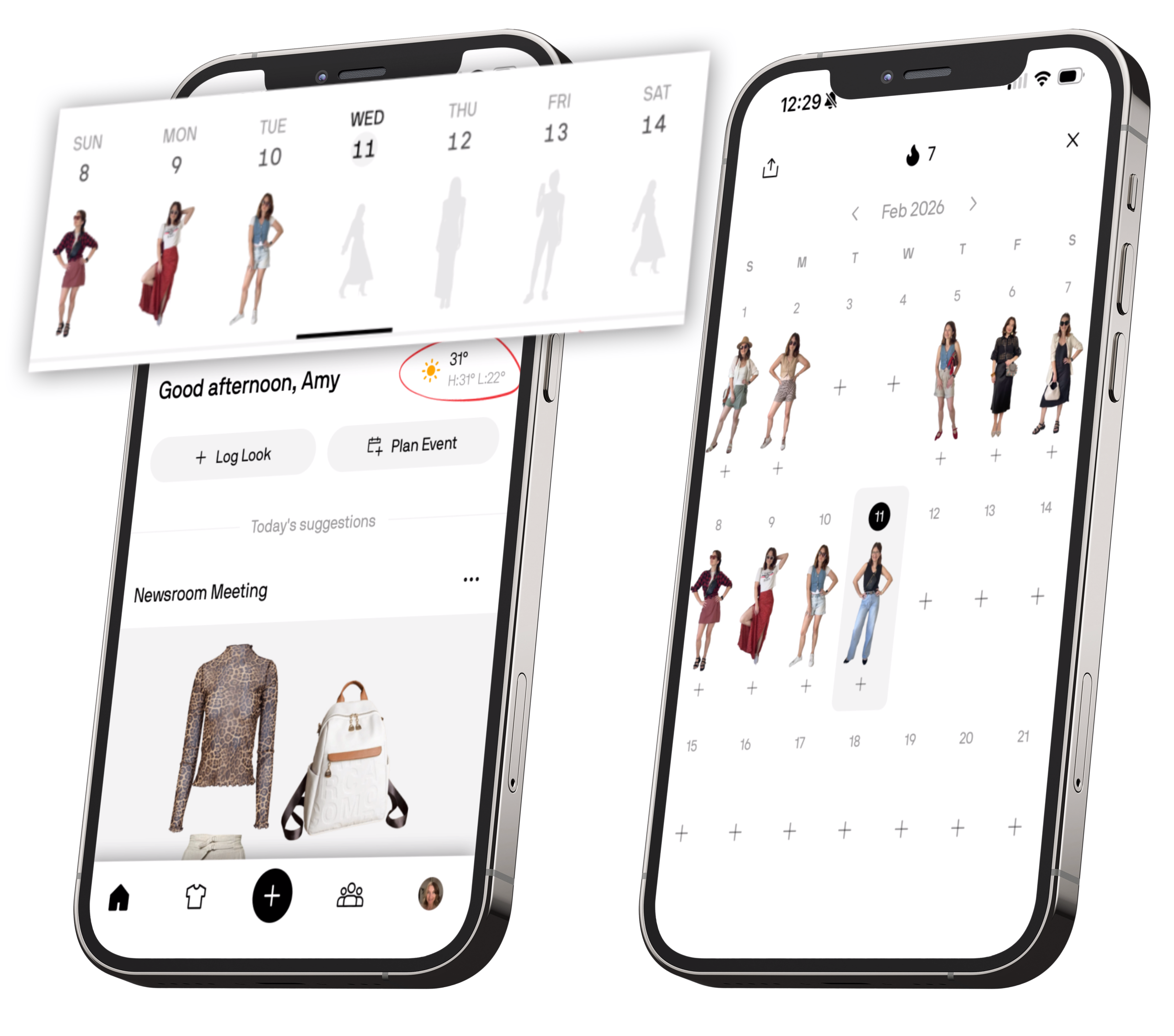
You can log your outfit directly from the Home screen by tapping into the day and adding all the pieces you wore. Alta automatically groups items into outfits, and you can log more than one outfit per day if needed. The calendar icon in the top left takes you to a full monthly overview, where you can see your most worn items and track your outfit streak.
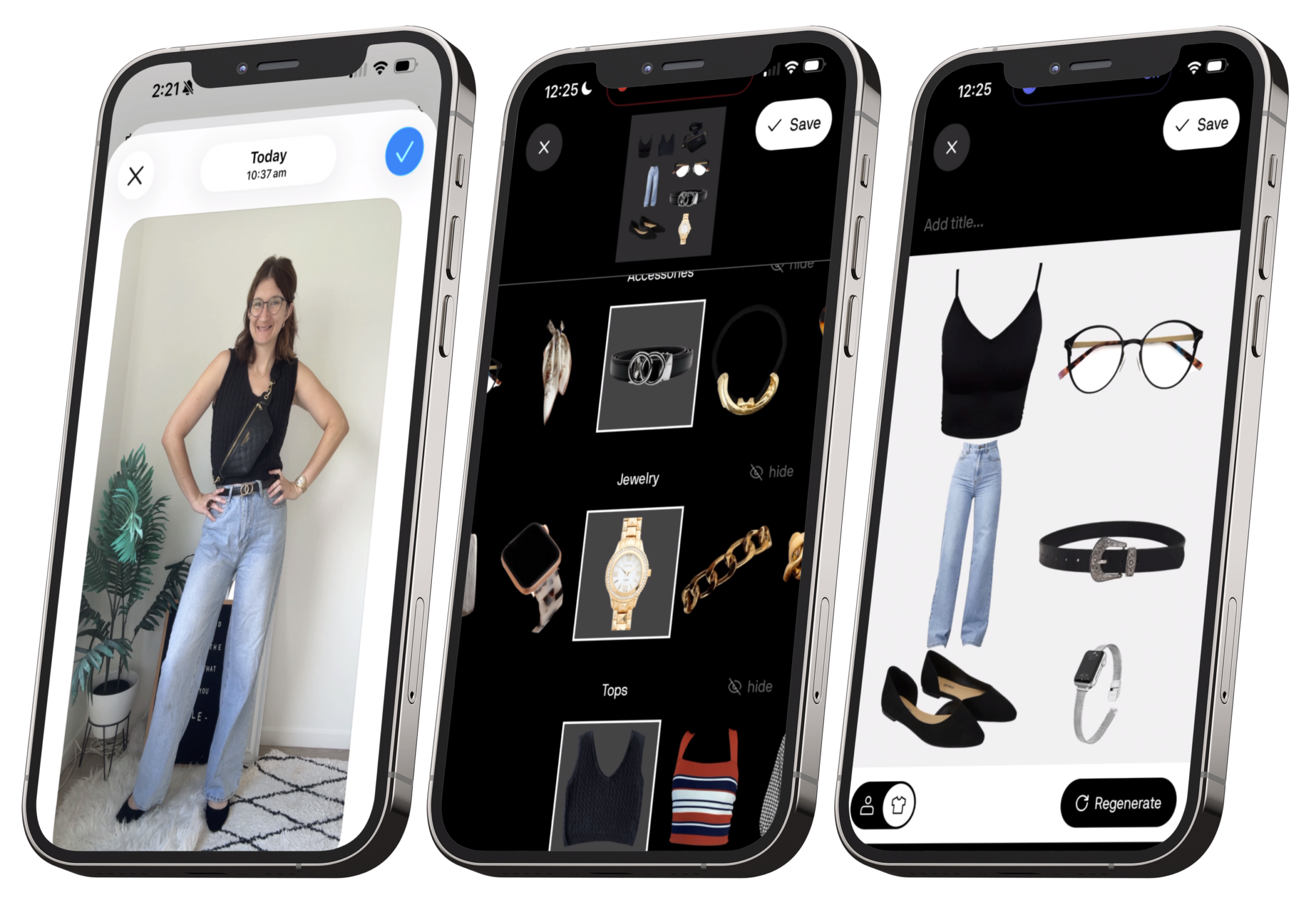
At the bottom of the calendar, there’s also a monthly style journey section. This includes a slider you can swipe through to see all of your logged looks for the month, including avatar renders and selfies. A really nice way to visually review what you’ve actually been wearing.
Back in the main home page, under that, Alta generates a scroll of AI-styled outfit suggestions based on your wardrobe. These take into account things like your location, occupation, and the style information you’ve given the app, and sometimes it mixes in items from the shop as well. The outfits are broken up by different occasions, so you’ll see casual, work, and event-ready options.
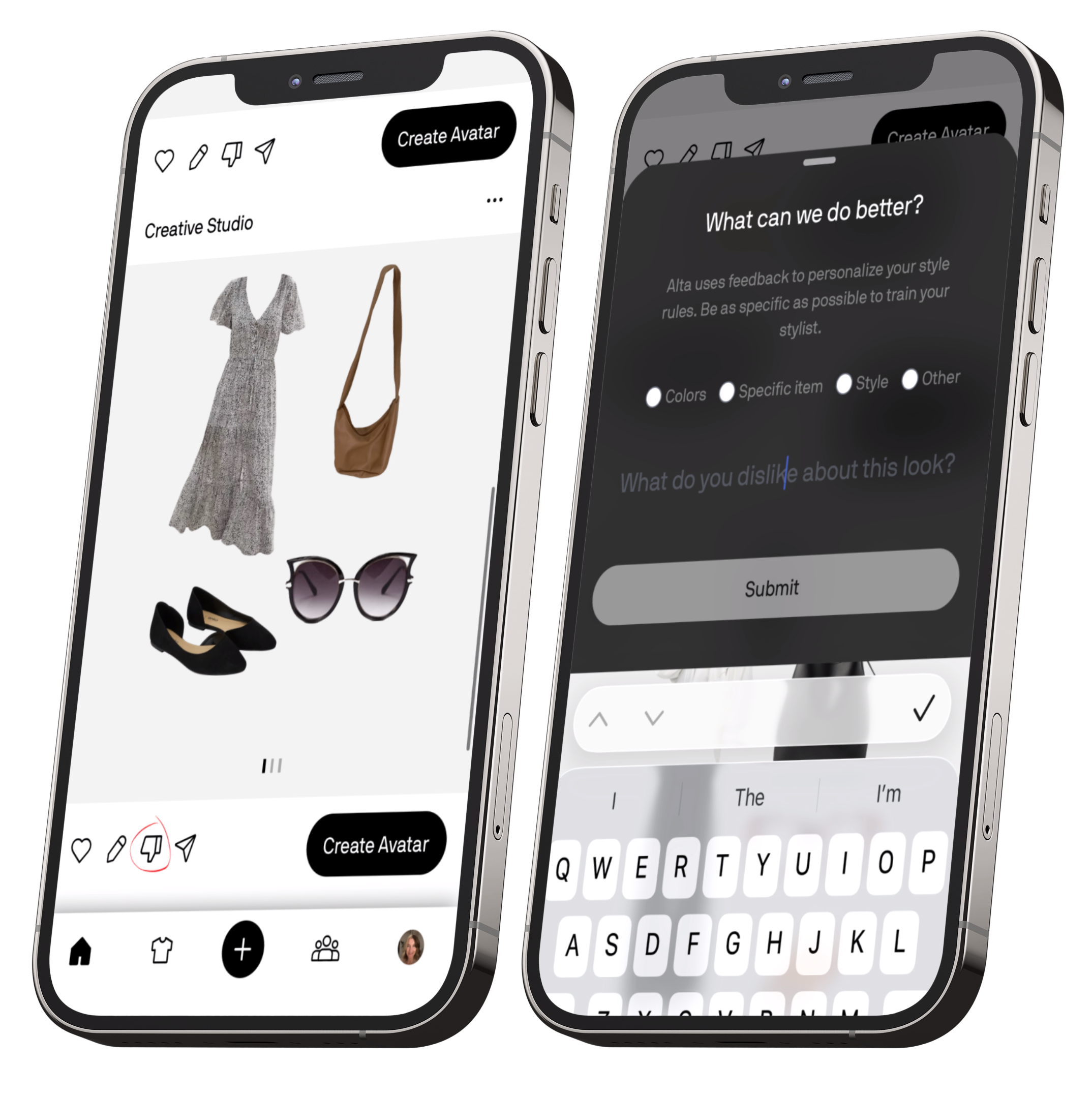
You can save the outfits you like, or thumbs-down the ones you don’t. When you thumbs something down, Alta lets you explain why. This helps it learn your preferences and build personalised style rules over time.
One of my favourite features here is the Avatar button. This lets you see the outfit on your AI avatar. The avatar pulls from your profile photo for your face and a full-body photo you’ve uploaded, so it roughly matches your body type. It doesn’t always get every detail perfect, but it gives you a really helpful sense of how an outfit might look on you without having to physically try it on.
In the top right, you’ve got quick access to help and notifications.
Ask Alta
From the Home screen, you’ll also see the Ask Alta icon, the magnifying glass with a little star. This is your direct access to Alta’s AI stylist chat, and it’s where things really get interesting.
You can ask Alta all kinds of style questions, from “What should I wear for date night?” to “How can I style my black leather pants?” If you have closet mode turned on, it will pull directly from your own wardrobe to create outfit suggestions, which makes the recommendations feel much more realistic and wearable.
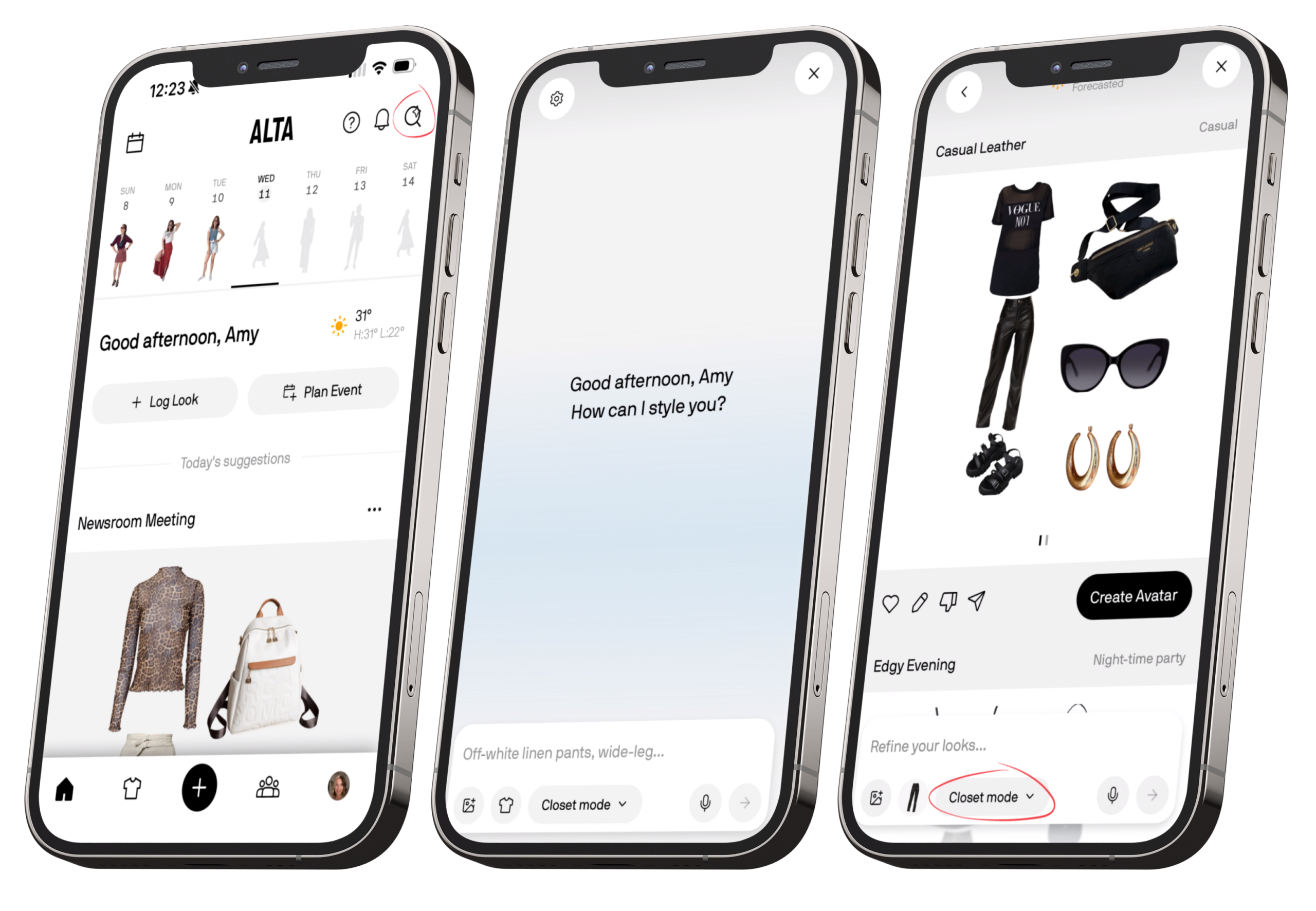
Using the little plus icon in the bottom left of the chat, you can attach reference photos or select specific items from your closet to include in your request. This is great if you want help styling one particular piece, recreating a look, or giving the AI more context about what you’re after.
There’s also a gear icon in the top corner, which takes you to your stylist preferences, essentially another way to access the same style settings found in your profile. Any changes you make here feed straight back into how Alta styles outfits for you across the app.
Closet
Now let’s talk about the Closet. This is where you upload all of your clothing items, and overall, Alta does a pretty solid job of automatically filling in the basics. It usually gets the item name and category right, and it will also attempt to guess details like colour, fit, season, fabric, length, sleeve length, and dress codes.
That said, it doesn’t always nail these perfectly, so it’s worth double-checking everything. Brand and price aren’t auto-filled either, so you’ll need to add those manually. It’s not quite as granular as some other wardrobe apps I’ve tested, but it does cover most of the essentials. Alta automatically removes the background from your photos, which gives your closet a much cleaner, more consistent look.
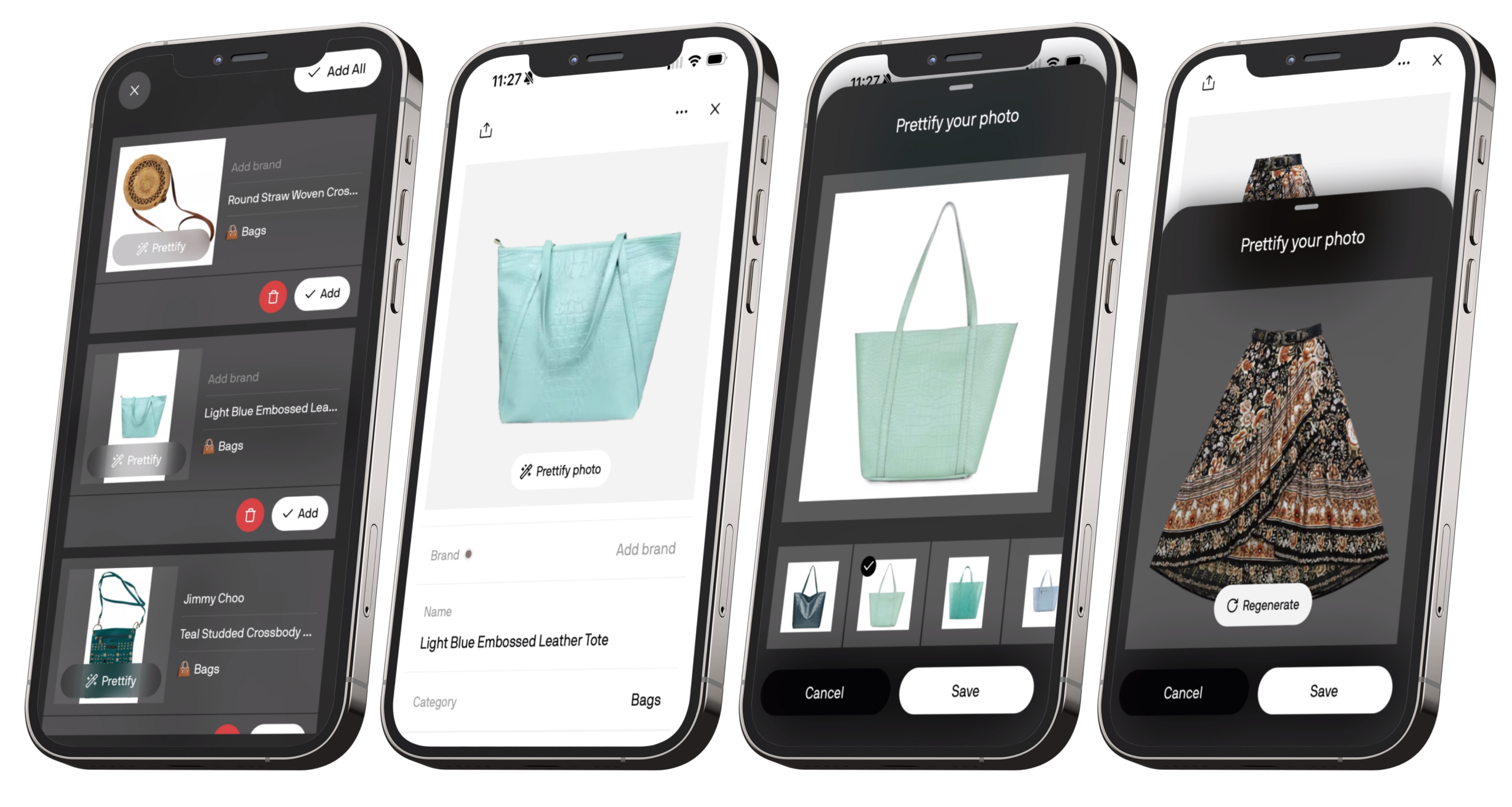
You’ll also see a “Prettify photo” option. Instead of just enhancing your image, this uses AI to generate a new, cleaner version of the item. Personally, I don’t love using this feature. It tends to turn pieces into flat-lay style images, and I prefer my closet items to look the way they actually sit on a body. For me, seeing how a piece drapes or hangs makes styling feel more realistic, especially when creating outfits.
In the top-left corner, there’s a dropdown menu that controls how your closet is displayed. By default, items are organised by newest, but you can also sort by oldest, most worn, least worn, or colour. The least worn option is especially useful if you’re trying to be more intentional about getting wear out of your existing wardrobe instead of always reaching for the same pieces.
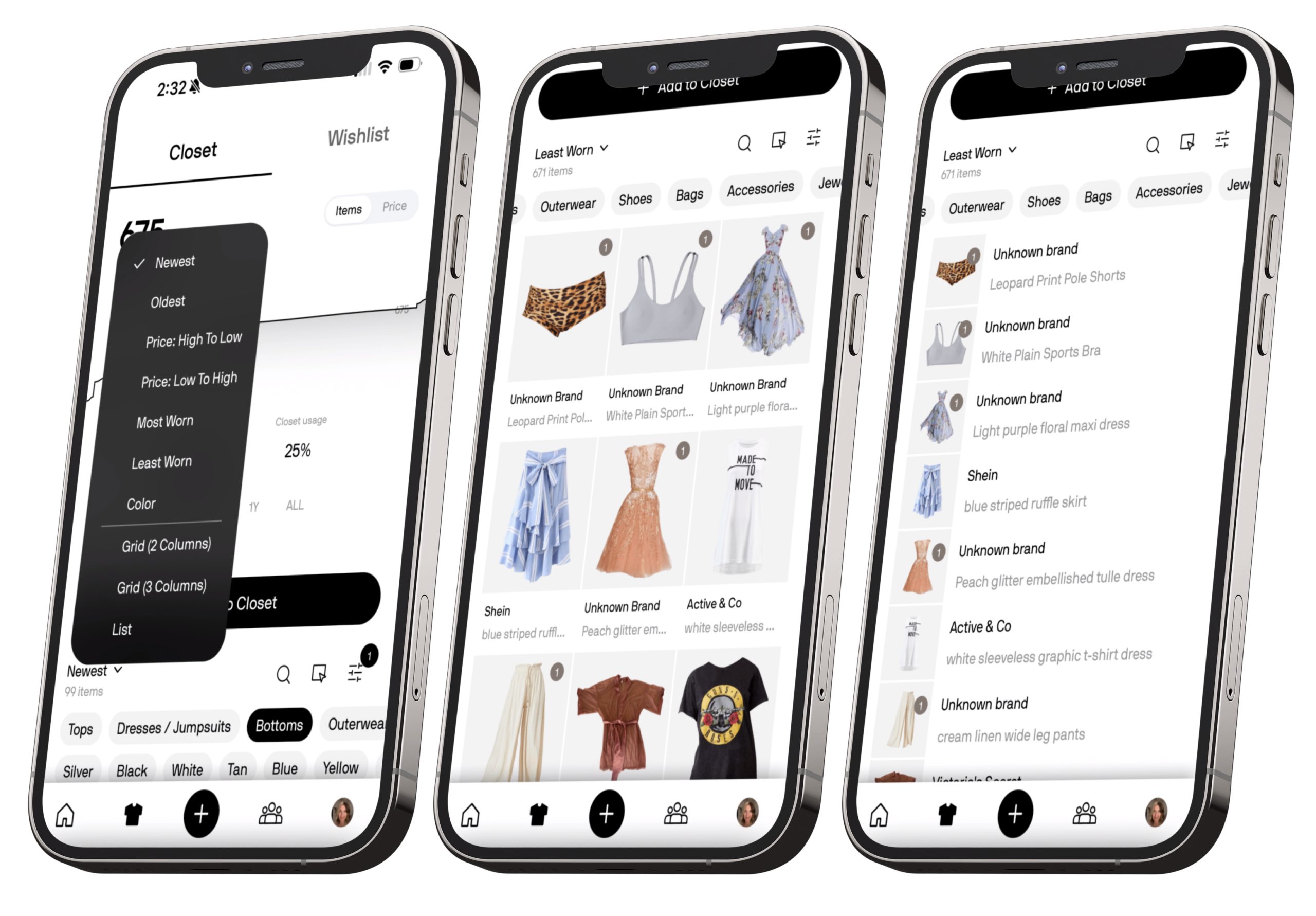
From this same menu, you can also change how your closet is laid out. You can switch between a 2-column grid, 3-column grid, or a list view. The list view and 3-column grid both help reduce scrolling and make it easier to scan your wardrobe at a glance. That said… I would love a 4 or even 5 column option. That would be perfect for a true high-level overview, especially once your closet starts getting big.
When you open an individual item, you have the option to “Style this item.” This prompts Alta to build outfits around that piece based on the occasions you’ve tagged it with. Within each occasion, you can scroll sideways to view multiple outfit suggestions. As with the rest of the app, you can thumbs-down looks and explain why, save outfits you like, or render them on your avatar for a more realistic preview.
Closet Stats
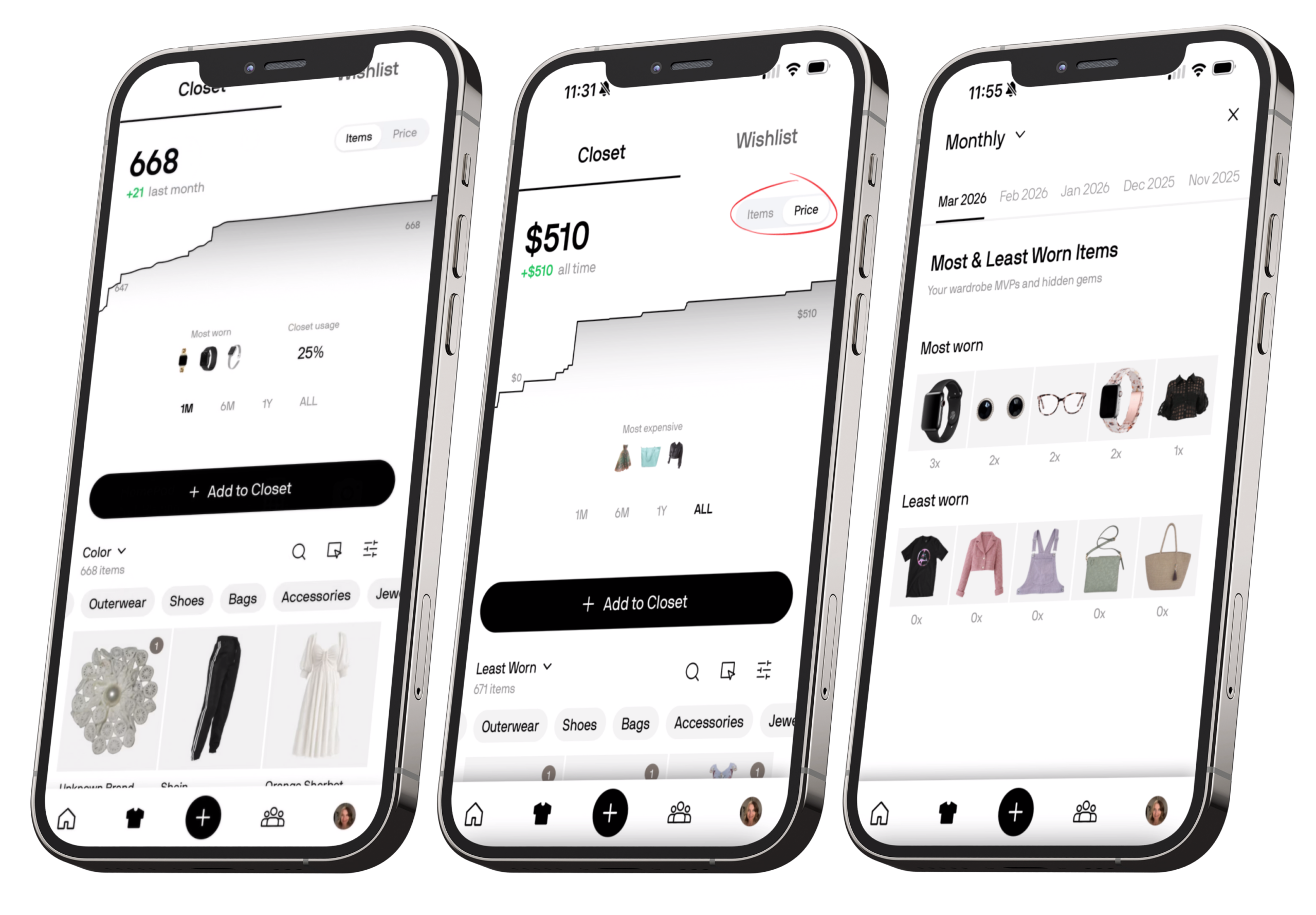
-
Your most and least worn items
-
Favourite brands
-
Your signature colour palettes
-
Most worn colours
-
Dress codes by day
-
How your style shifts between weekdays and weekends
-
And even your favourite fabrics by month
At the top of the Closet, you’ll also find the Wishlist tab. This is where you can save pieces you’re considering buying but haven’t added to your wardrobe yet, a handy way to keep track of potential gaps or future purchases.
The main downside is organisation. Once your closet starts to grow, it can feel a little clunky to navigate. The filter tools definitely help, but there are moments where it feels like extra scrolling and tapping just to find that one black blazer you know is in there somewhere. It’s not a dealbreaker, but it’s an area I’d love to see refined in future updates.
Plus Button
Sitting in the centre of the bottom menu is the Plus (+) button, and this is essentially your quick-action shortcut.
When you tap it, you’re given two simple options:
Add to Closet – This lets you upload a new clothing item straight into your wardrobe. It’s the fastest way to add pieces without navigating into the Closet tab first.
Create Look – This allows you to manually build an outfit yourself by selecting items from your closet, rather than relying on AI-generated styling.
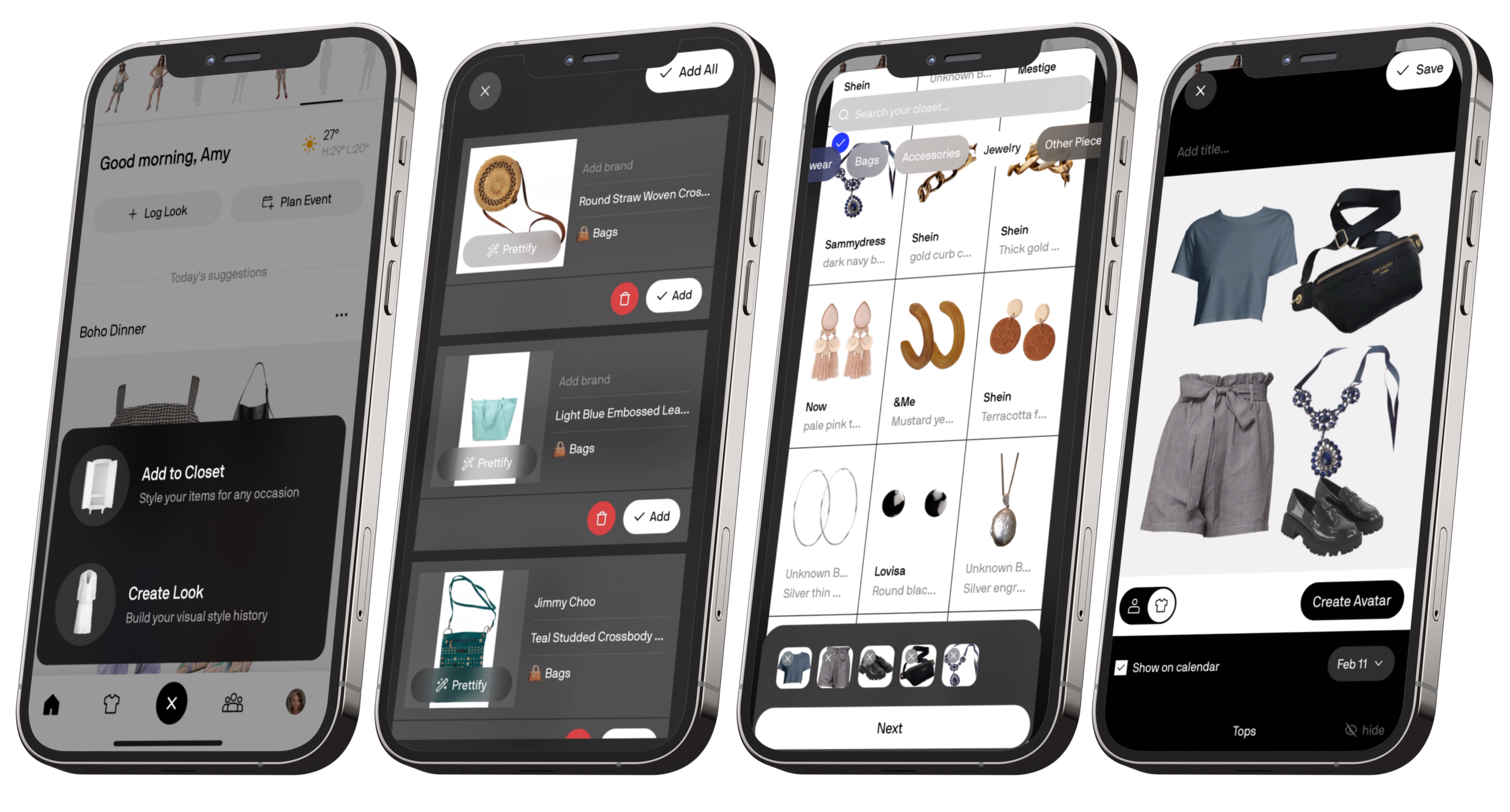
It’s a small feature, but a practical one. The Plus button keeps the two most common actions, adding new items and creating outfits, easily accessible from anywhere in the app, without cluttering the main navigation.
Community
Best Dressed
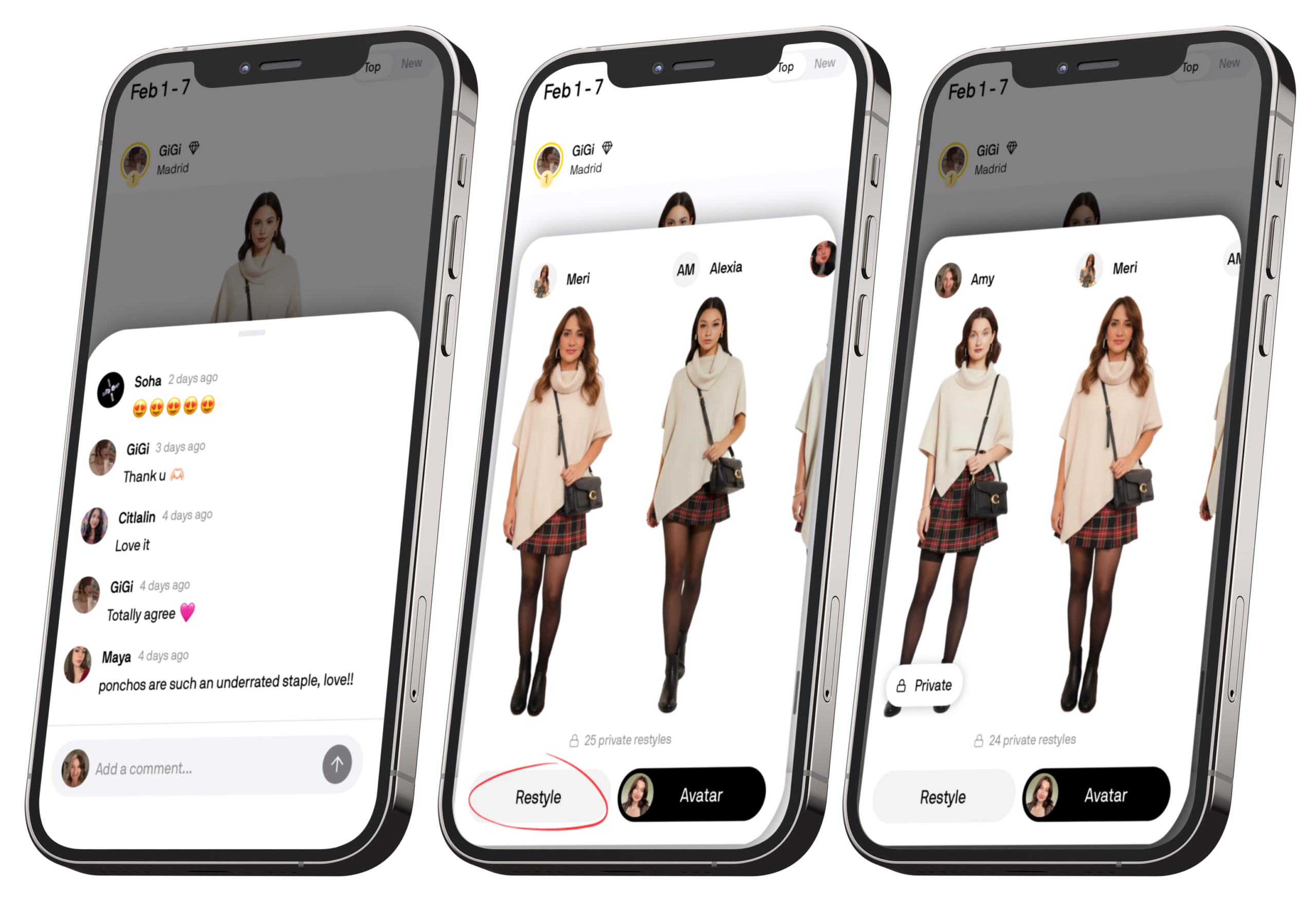
The Best Dressed tab is where you’ll find the most liked outfits created by other users in the app. You can scroll through a feed of AI avatars styled by real people, which makes it a really good source of inspiration.
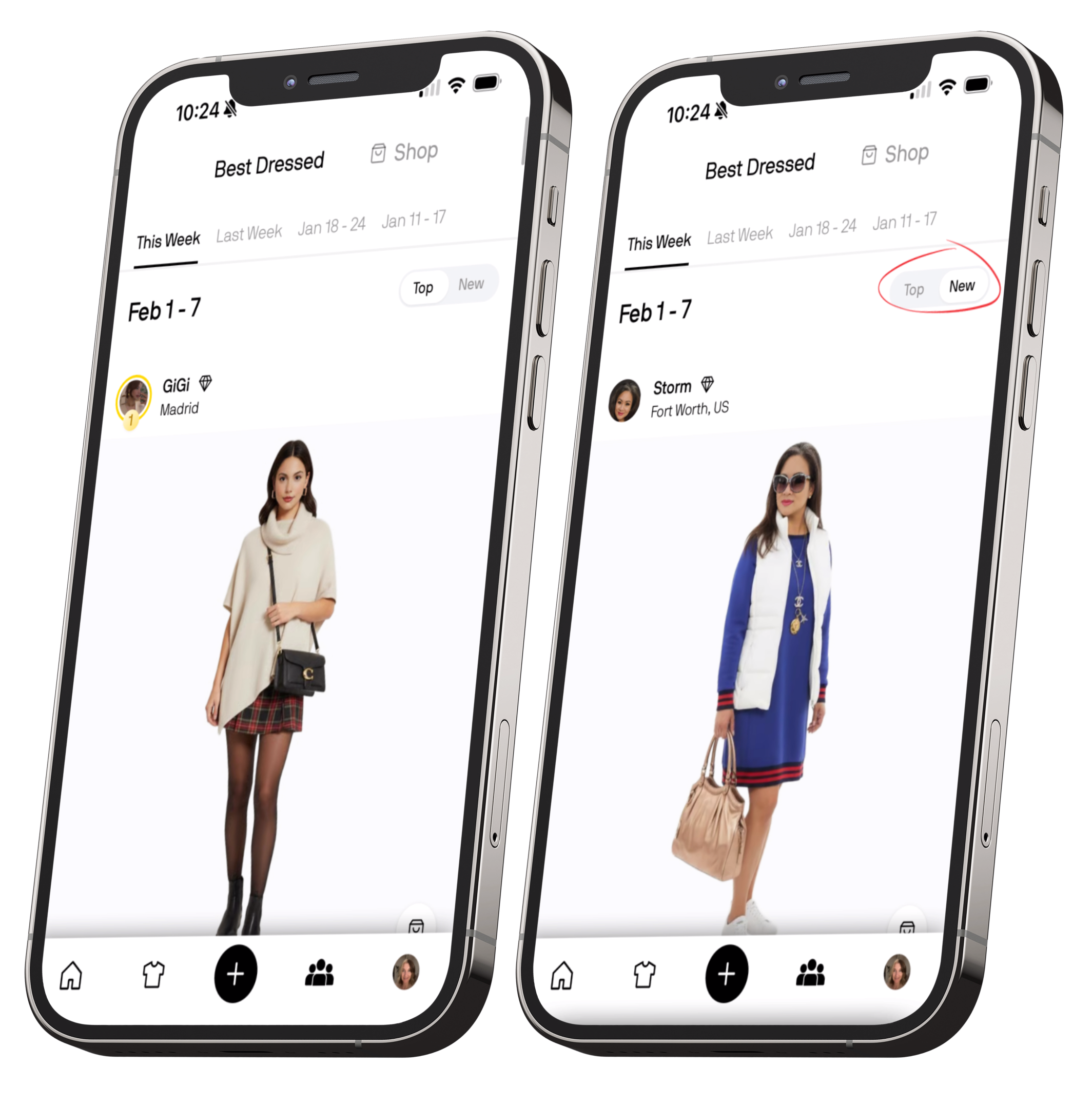
You can’t actually save these outfits directly, but you can interact with them in a few useful ways. There’s a shopping bag icon on each look that lets you shop for similar pieces to the ones used in that outfit, which is great if you see a silhouette, colour combo, or vibe you like.
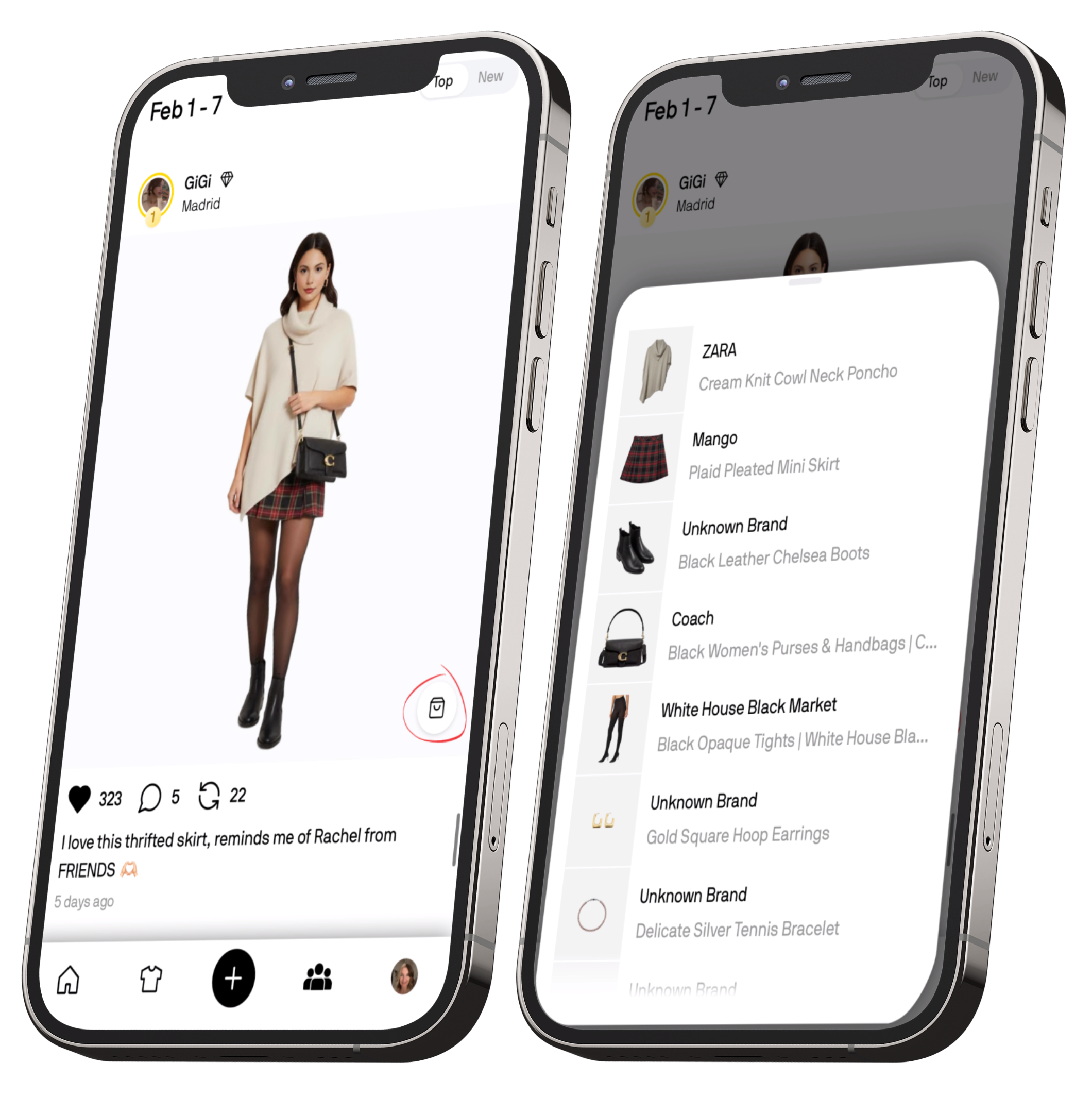
-
Restyle – This lets you modify the look using pieces from your own wardrobe. You can swap items out or add new ones in, which is great if you like the base idea but want to make it more “you.”
-
Avatar – This tries that member’s outfit directly on your own avatar, so you can see how the exact look translates to your proportions and colouring.
Shop
The Shop tab is split into themed capsules and personalised recommendations. You’ll see curated edits like The Cozy Edit, gift guides, workwear outfits, or seasonal collections like autumnal layering.
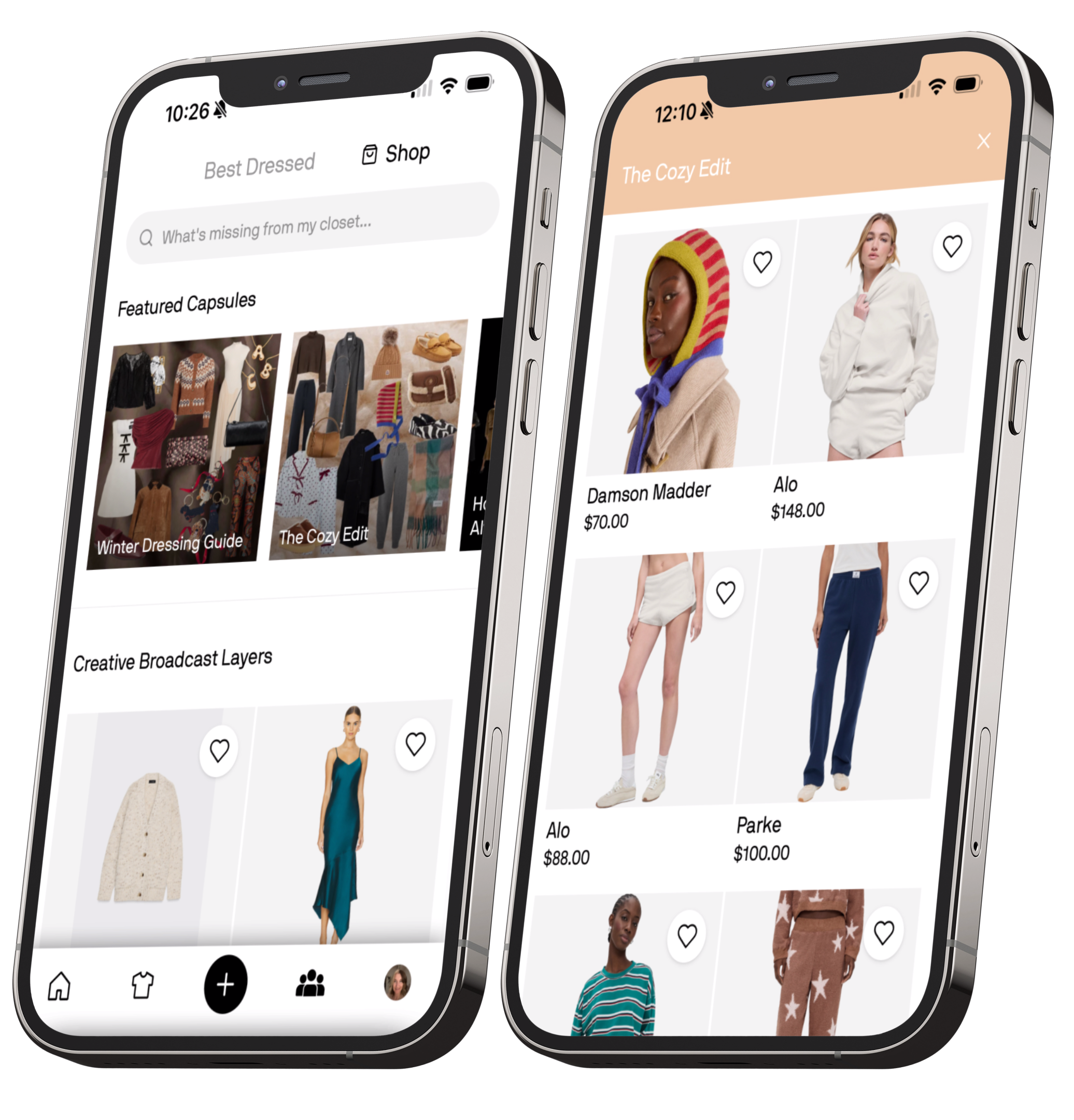
Below that, Alta also shows personalised shop sections based on what it knows about you. For me, one of the featured sections was “Creative Broadcast Layers” which makes sense since it knows I work as a News Broadcast Designer and like a lot of layering.
Just like a regular shopping app, you can:
- Buy items directly
- Favourite pieces to save for later
Any favourites get added to your Wishlist, which lives in the Closet section. What I really like is that you can also style these shop pieces with items from your own wardrobe, and even try them on your avatar before buying, which makes the shopping side feel way more intentional and less impulsive.
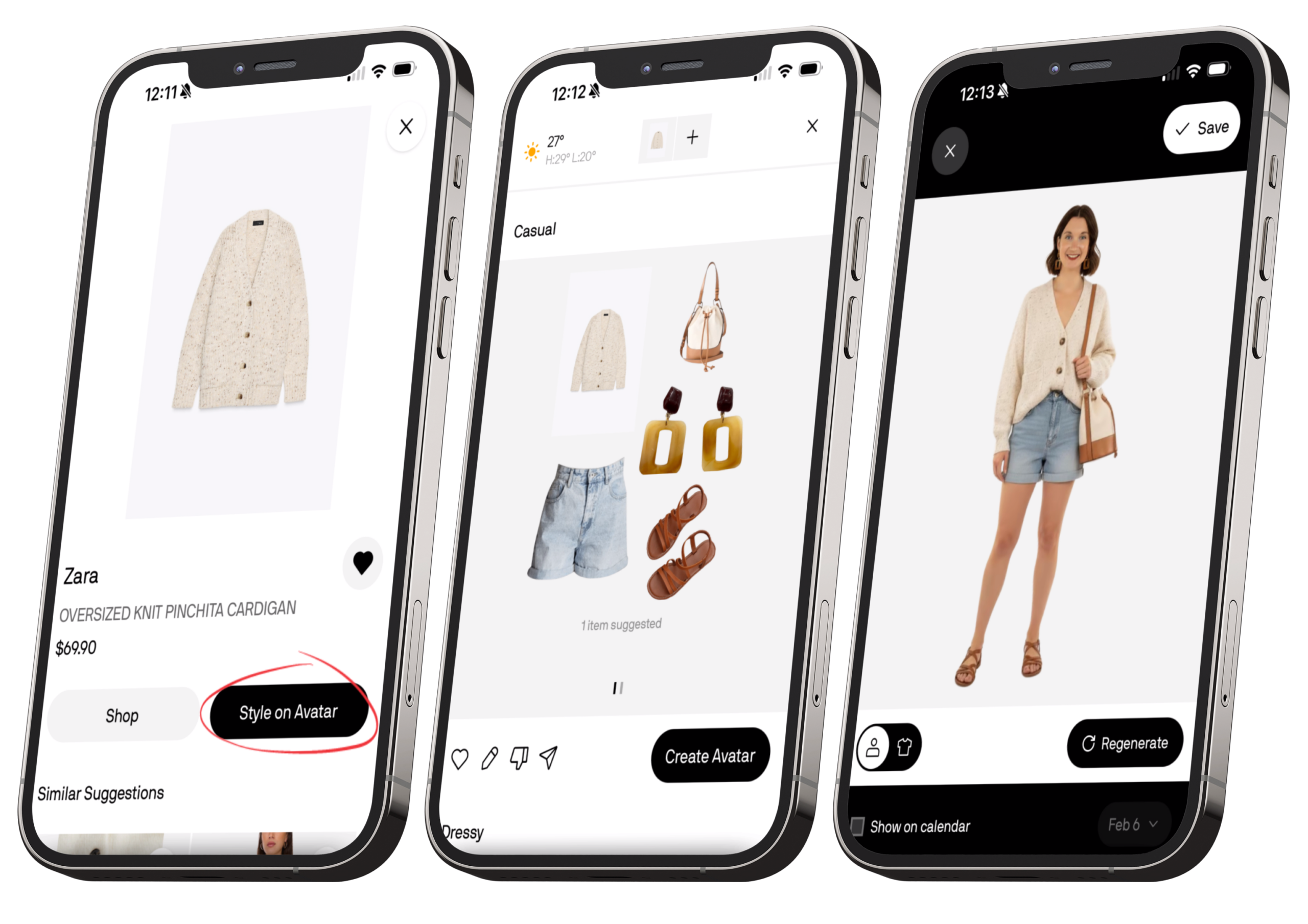
Overall, the Community tab is a genuinely strong part of the app whether you’re browsing for inspiration, experimenting with restyling other people’s outfits, or testing how potential purchases would work with your existing wardrobe.
Profile
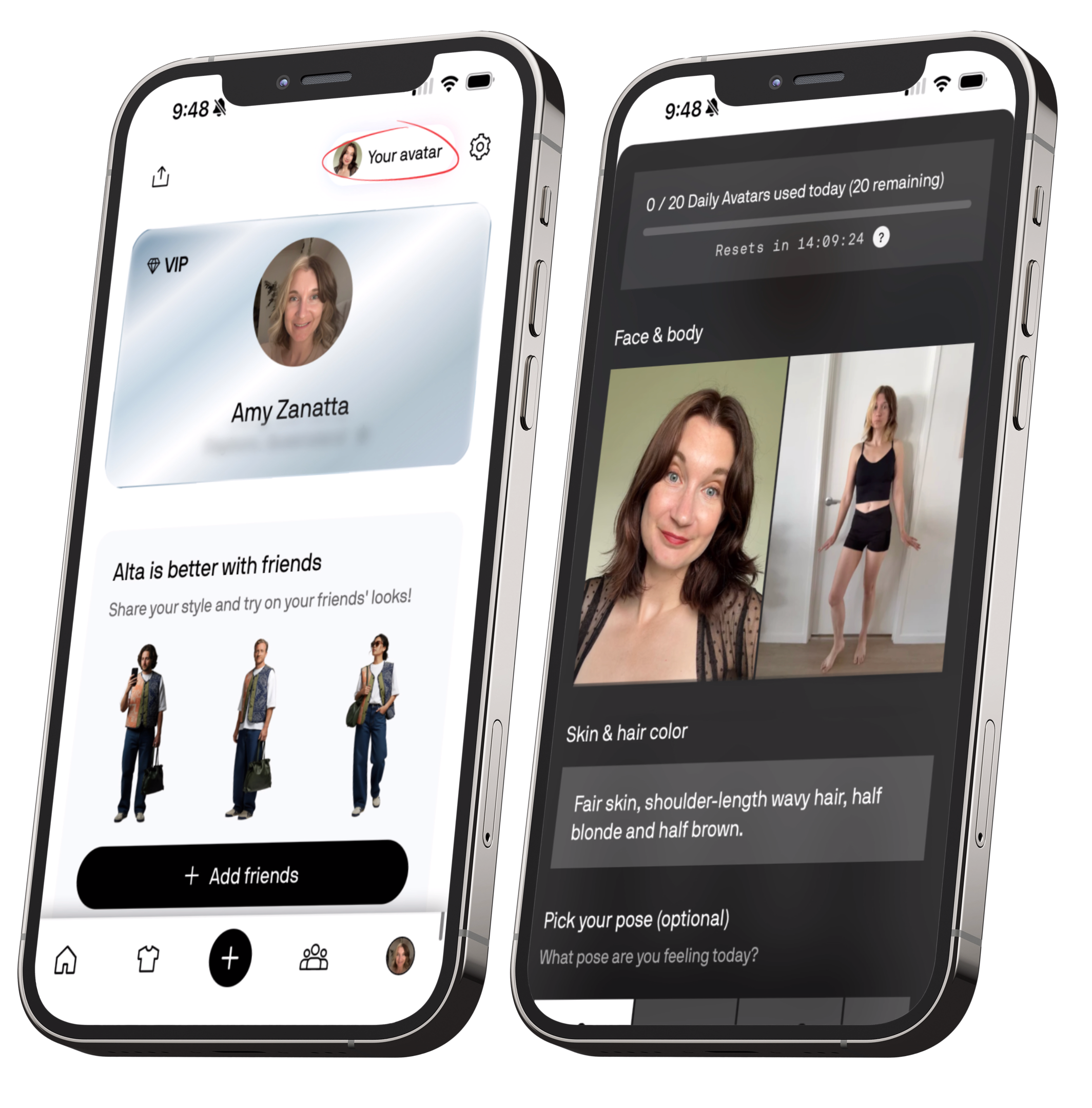
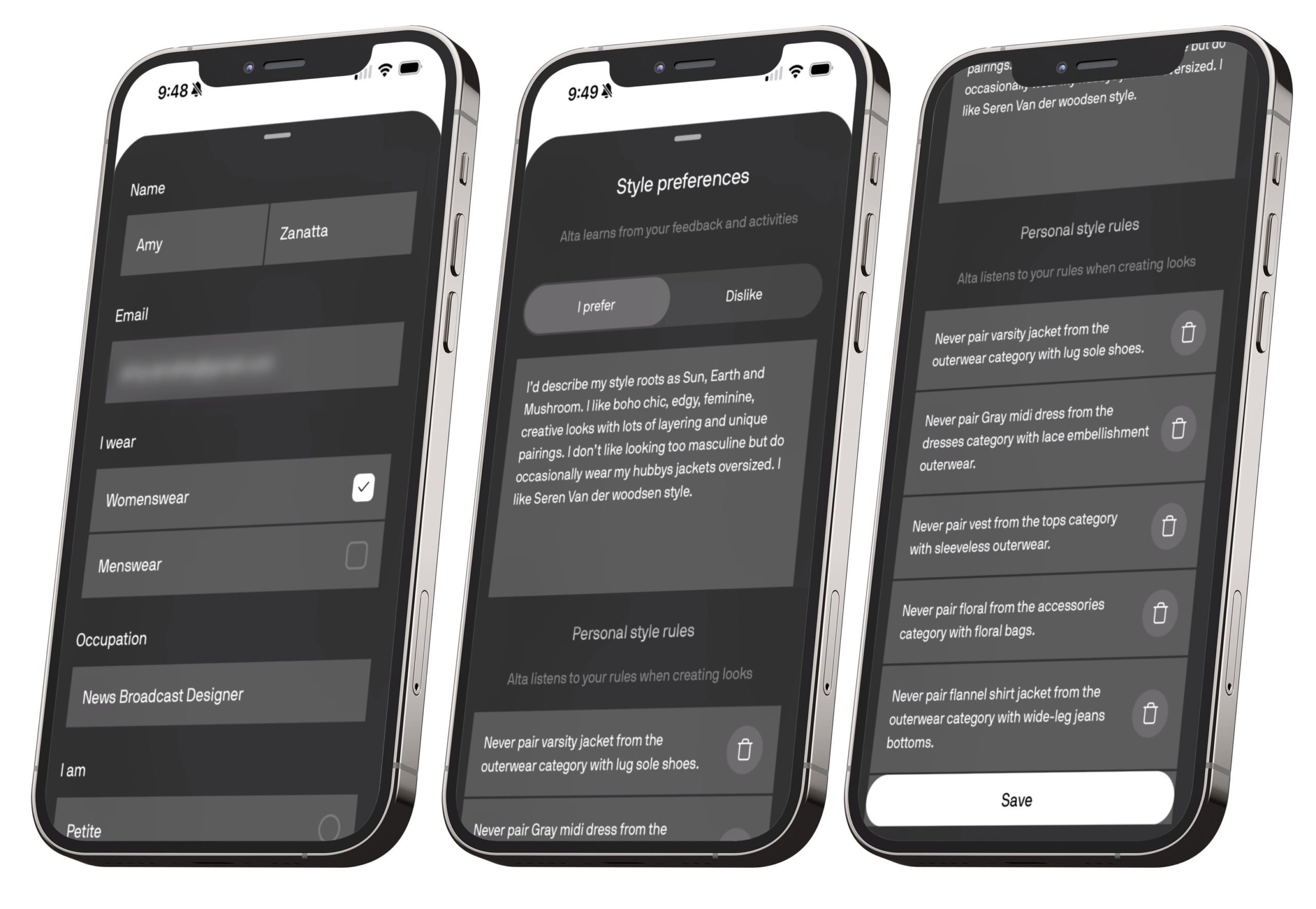
You can also write a styling preferences blurb, describing what you like and what you don’t, and below that you’ll see your personal style rules. These are rules Alta generates based on your feedback, and you can delete ones that don’t fit or add your own. For example, I added: “Always include earrings in every outfit.”
You can also set preferred brands and budgets, which helps Alta prioritise certain labels or price ranges when it’s styling or recommending pieces.
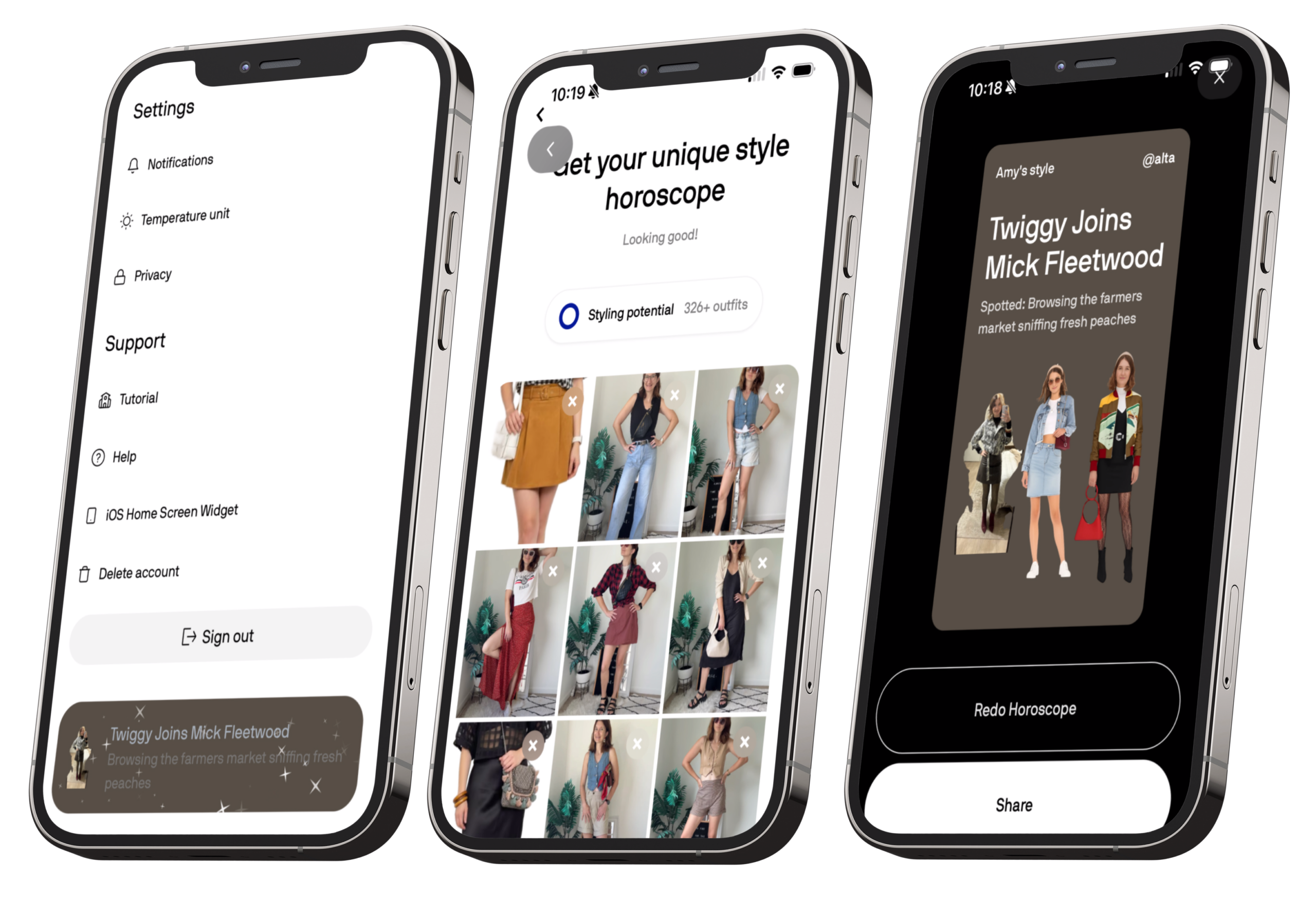
Another fun feature here is the Style Horoscope. You upload five or more photos of outfits you love, and Alta generates a playful little summary of your style personality. Mine came back with: “Twiggy joins Mick Fleetwood. Spotted: Browsing the farmers market sniffing fresh peaches.” It’s lighthearted, but surprisingly accurate and you can redo it anytime.
Back on the main Profile screen, there’s also a section to add friends, and this is where all of your saved outfits live. This becomes your personal lookbook, making it easy to revisit and re-wear outfits you’ve already styled.
Visually, I do wish this section was a bit more polished. Right now, Alta displays saved looks in a basic grid, pieces are all different sizes, there’s no overlapping, and no way to curate the layout into a cleaner collage. I’d also love to see outfit categories like Work, Casual, or Summer, instead of every look being grouped into one long feed.
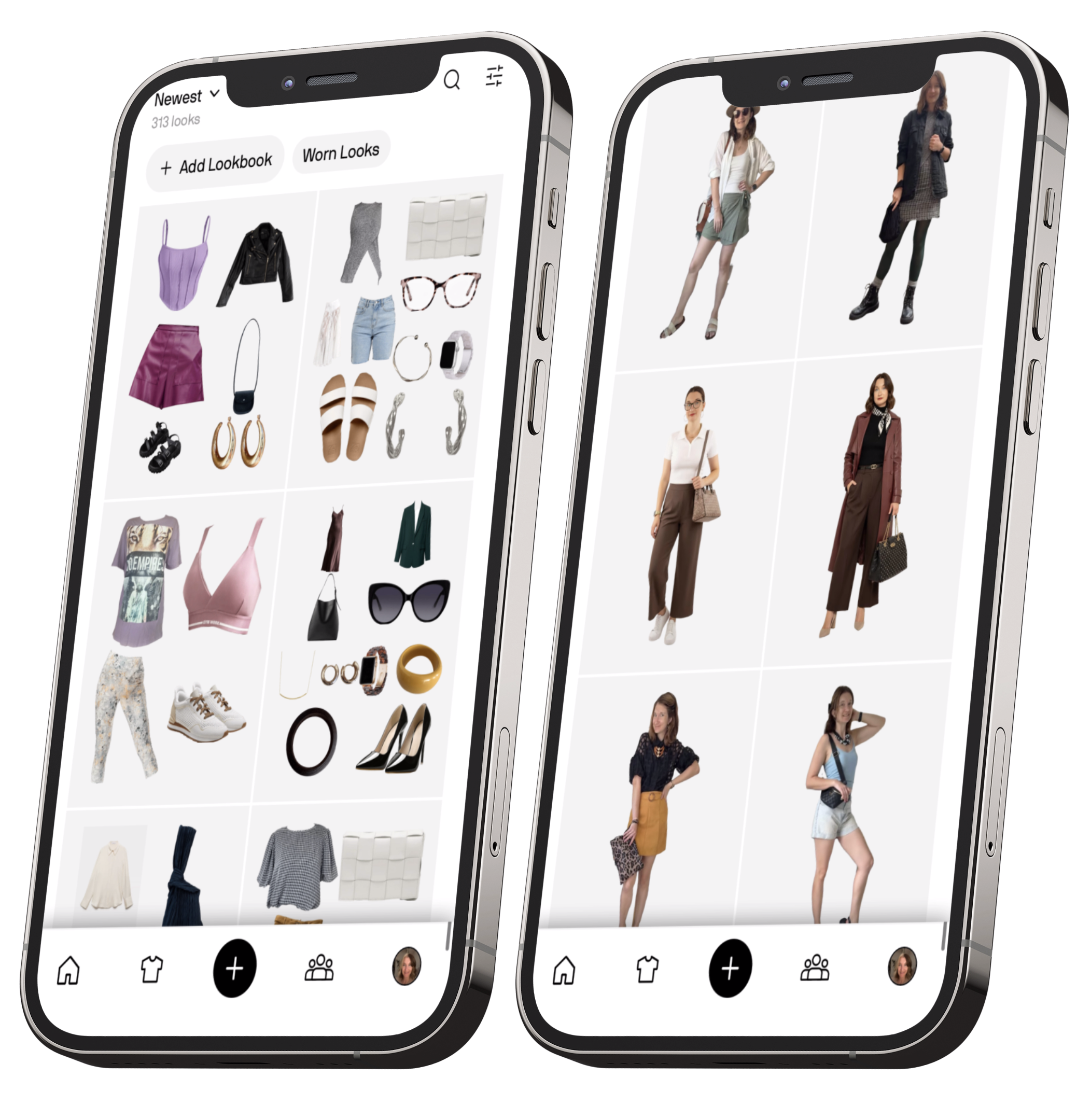
That said, one feature I really like is that each look can have either a selfie or an avatar render attached. Once you start using those consistently, this section becomes far more effective than a traditional flat-lay wardrobe grid. Seeing the outfit on a body, even a digital one, makes it feel much more real and wearable.
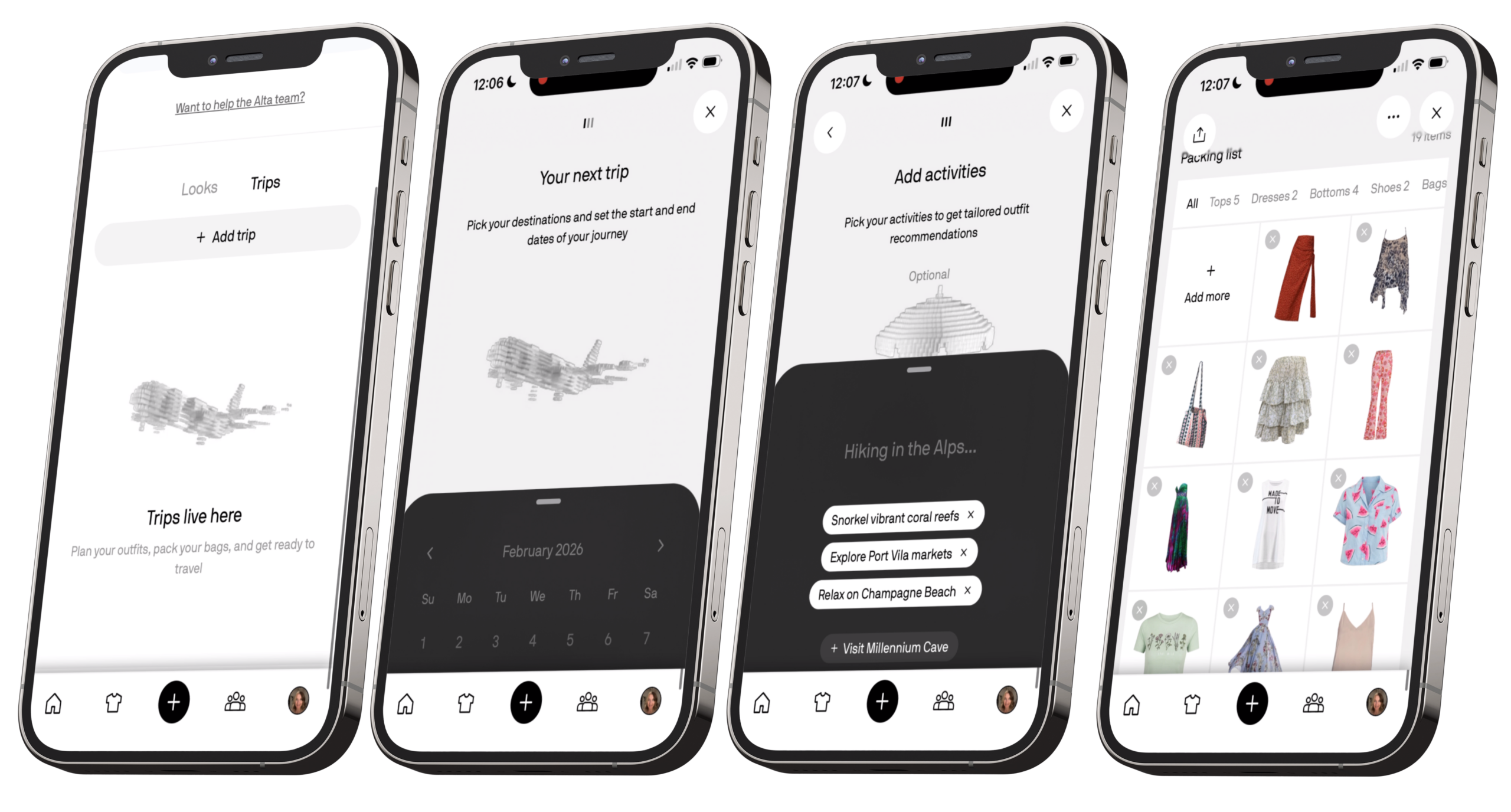
Tucked in here as well is the Trips tab, where you can plan outfits and packing lists for travel. It’s a genuinely handy addition, especially if you’re someone who tends to overpack or forget key pieces.
7-Day Outfit Style Challenge
So now that I’ve walked you through my Alta Review, it’s time to put it to the test. Features and functions are one thing, but what really matters is whether the AI can actually style me in outfits I’d wear in real life. I’ve been using Alta for a few months now, so it’s had some time to get to know me, learn my style preferences and build up style rules.
To really see what it can do, I’m handing over my wardrobe for a full week and letting Alta play stylist but with a few strict ground rules to keep the challenge fair.
Days 1-3: Homepage outfits.
Each day I’ll choose my outfit straight from the homepage feed of suggested looks. The catch? I can’t scroll sideways to load more options for each occasion, and I can only scroll down as far as what’s already pre-loaded. Basically, I have to commit to whatever Alta serves me upfront.
Days 4-7: Stylist orb.
For the second half of the week, I’ll use the glowing silver orb, Alta’s AI stylist. I’ll give it a few details about my day, and whatever first outfit it comes back with is the one I have to wear. No regenerating, no do-overs.
General rule:
I have to wear all the pieces the app includes in the outfit (though I can add extra layers or accessories if needed).
Day 01
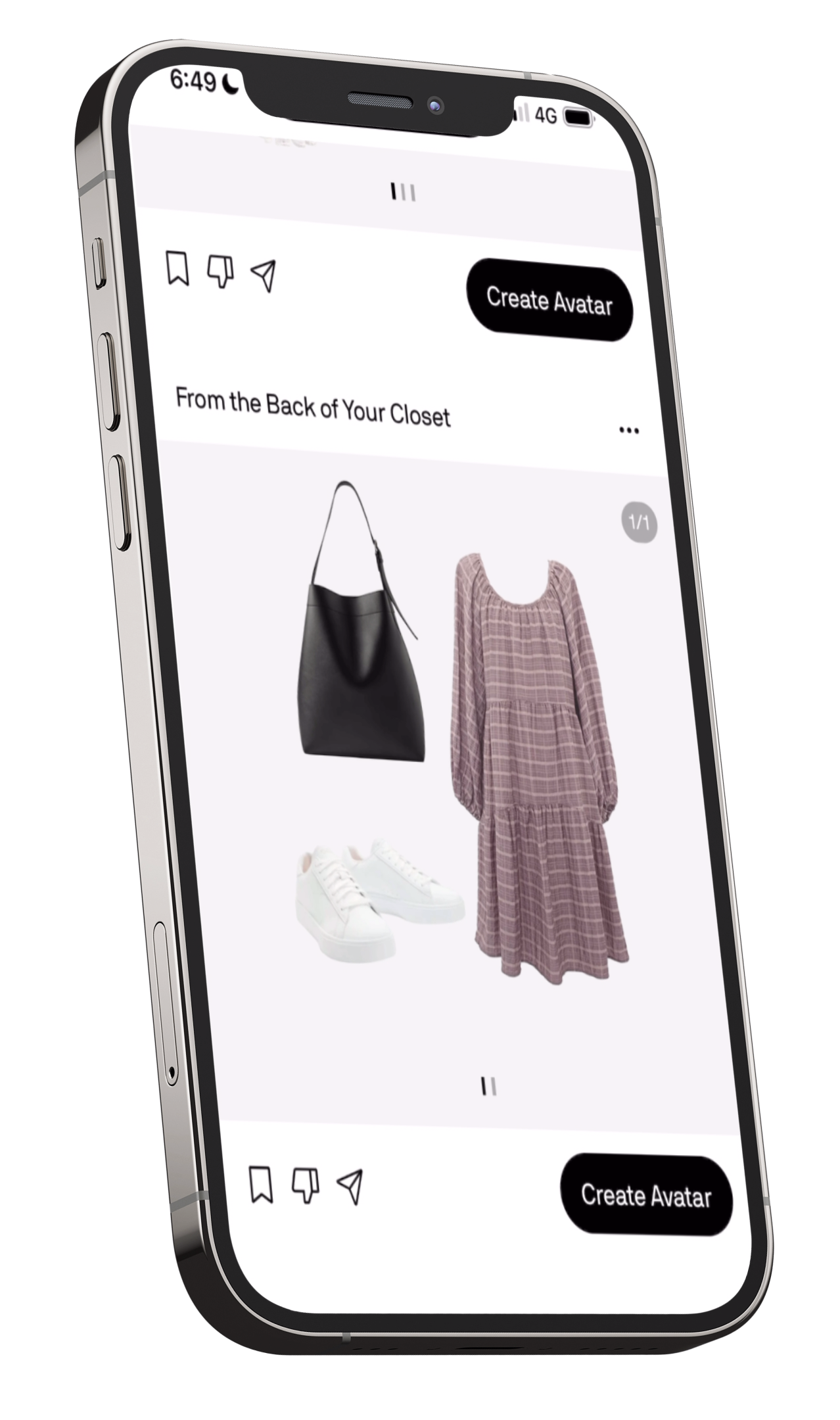
So this was the outfit Alta picked: the pink and purple preview dress with a black bag and white sneakers. Cute, super easy, but definitely on the simple side and the sleeves were a bit warm for the day.
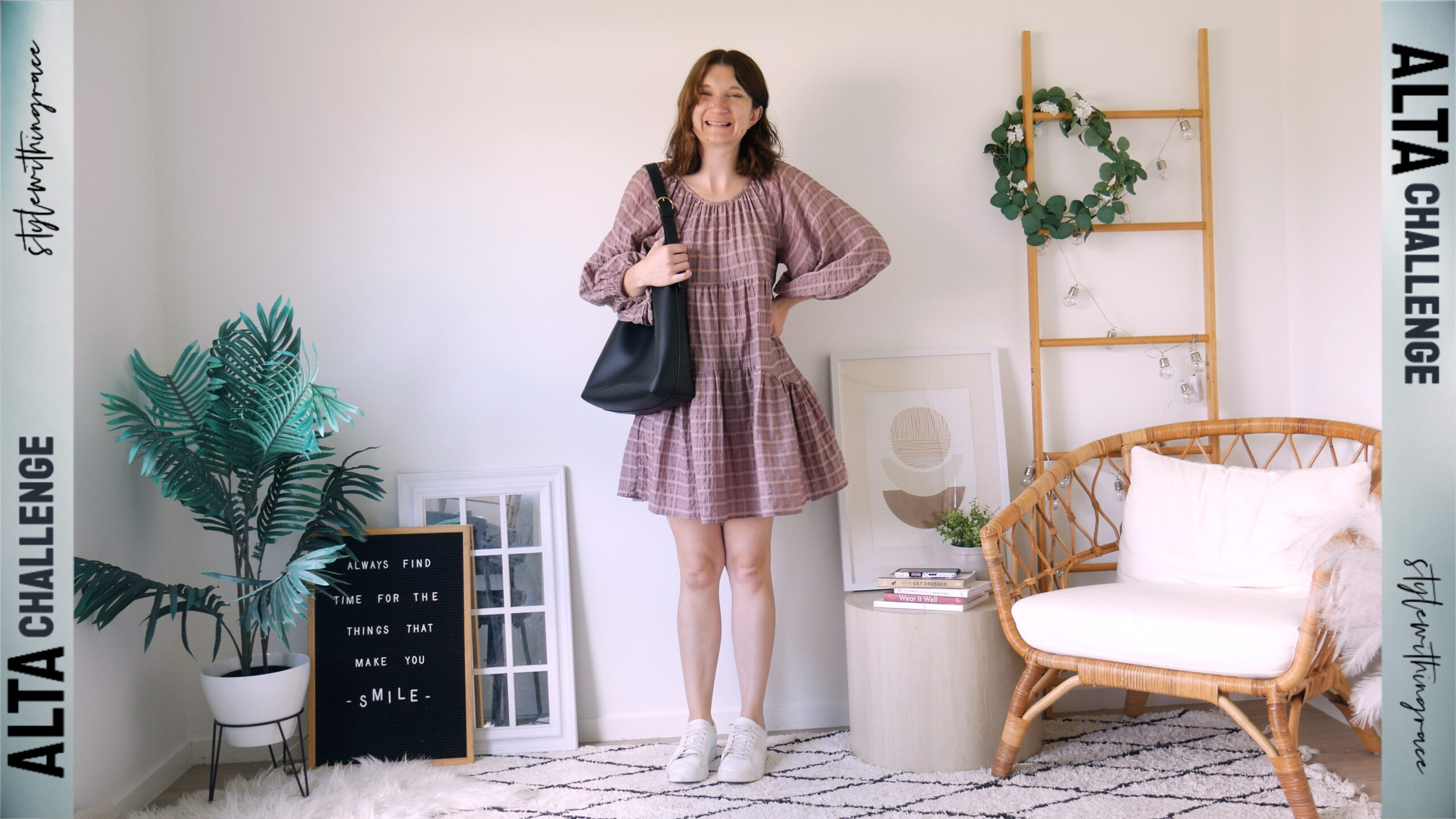
To make it feel more like me, I really leaned into accessories.
I added:
- Gold hoops, a gold ring, and a gold choker to match the gold hardware on the bag
- My gold Apple Watch band with pastel colours
- Stacked bracelets that tied in the tones of the dress
- My black floral hair bow clip with gold and pink accents to reinforce the black from the bag so it felt intentional
- And my muted pink sunglasses to finish it off
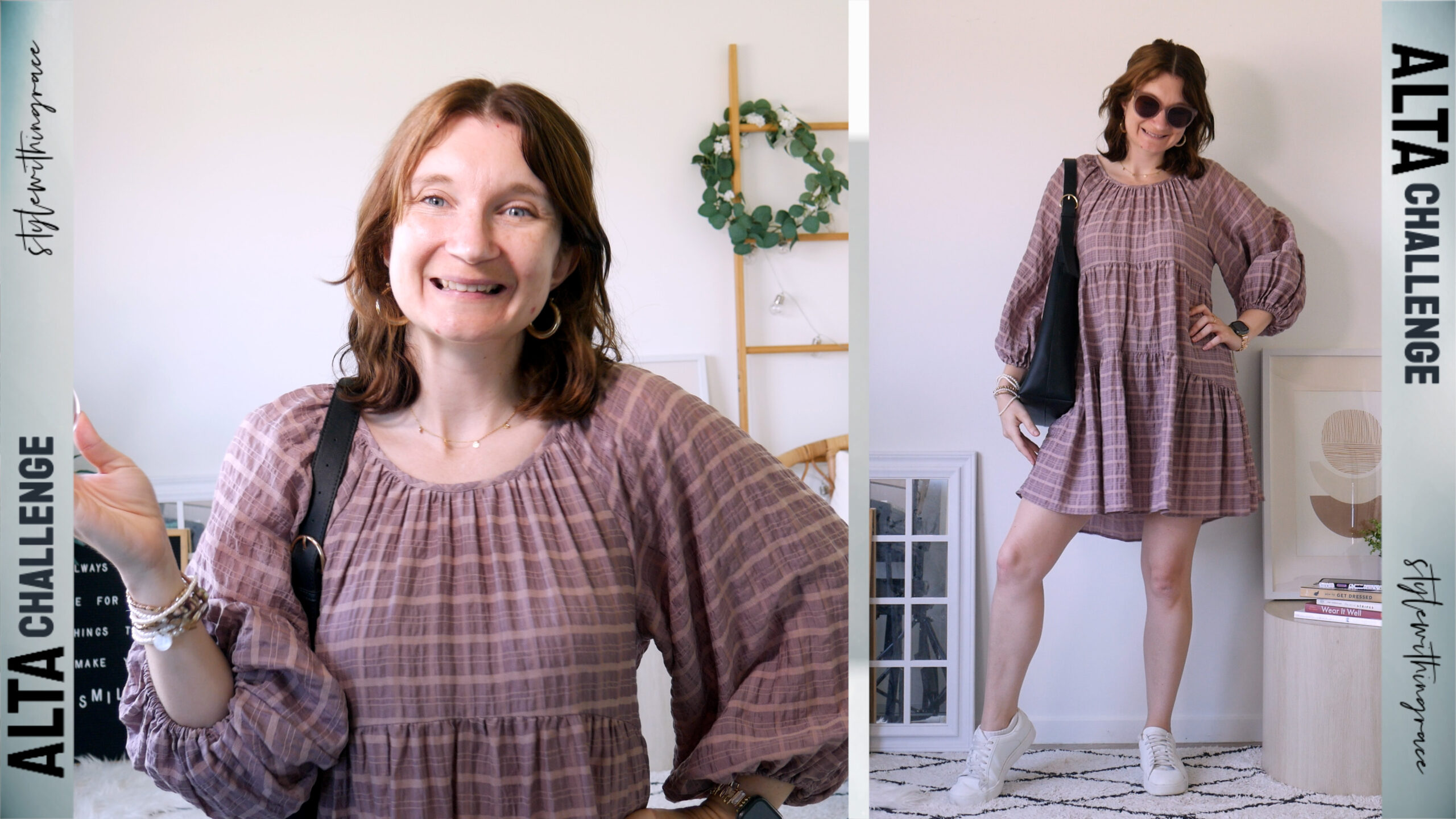
After all that, the outfit was genuinely really cute but it definitely needed a lot of styling help to get there. Alta gave me the base, but I had to do the heavy lifting to make it feel aligned with my style.
Day 02
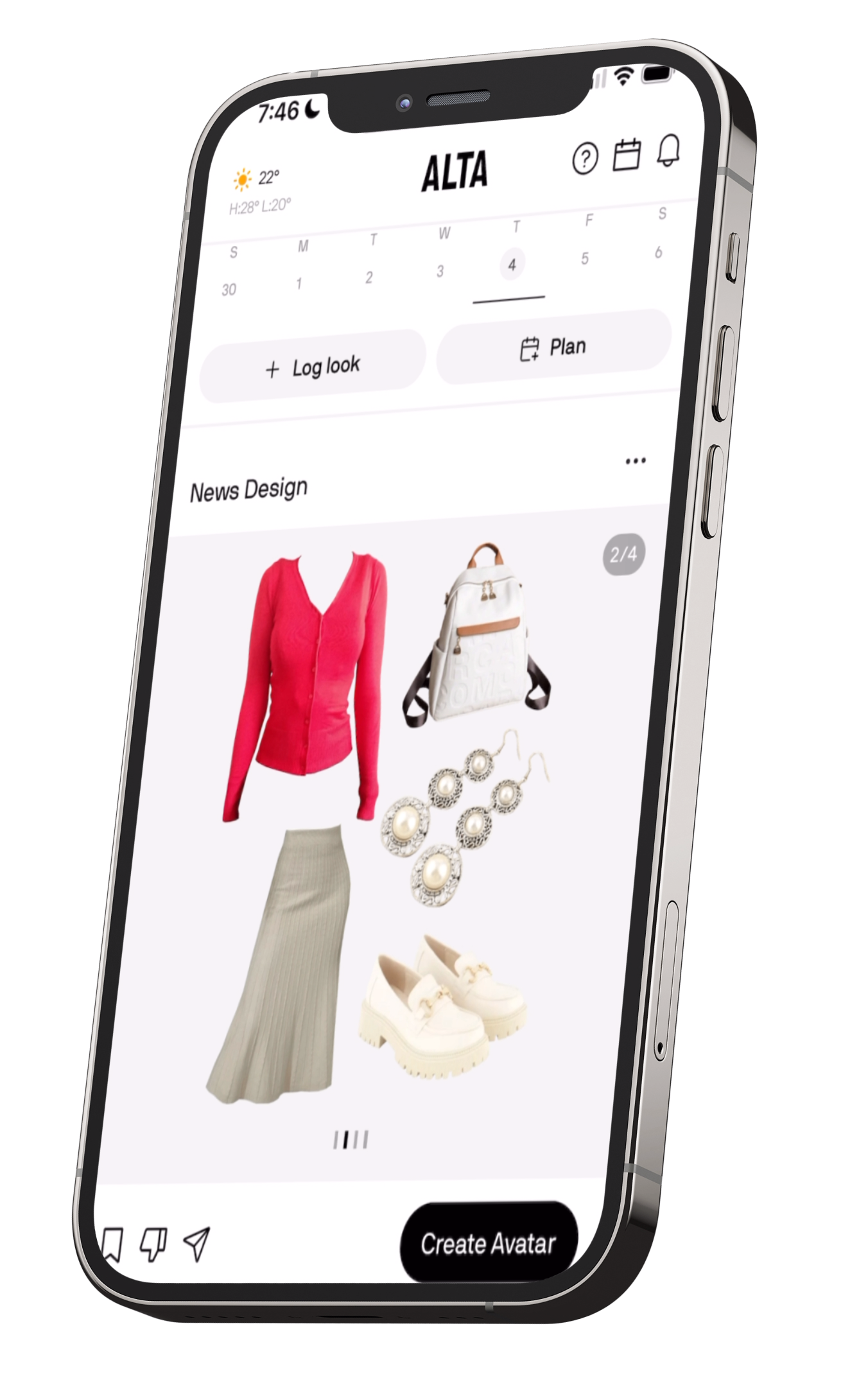
Alta gave me a much more interesting combo today: a cream knit midi skirt, red cardigan, cream loafers with the gold buckle, my white-and-tan backpack, and silver pearl statement earrings.
Definitely more personality than yesterday but also way too warm for the weather. I don’t know what Alta was calculating, but clearly it wasn’t “Australian heat.” Still… the other suggested looks weren’t work-appropriate, so I was stuck with this one.
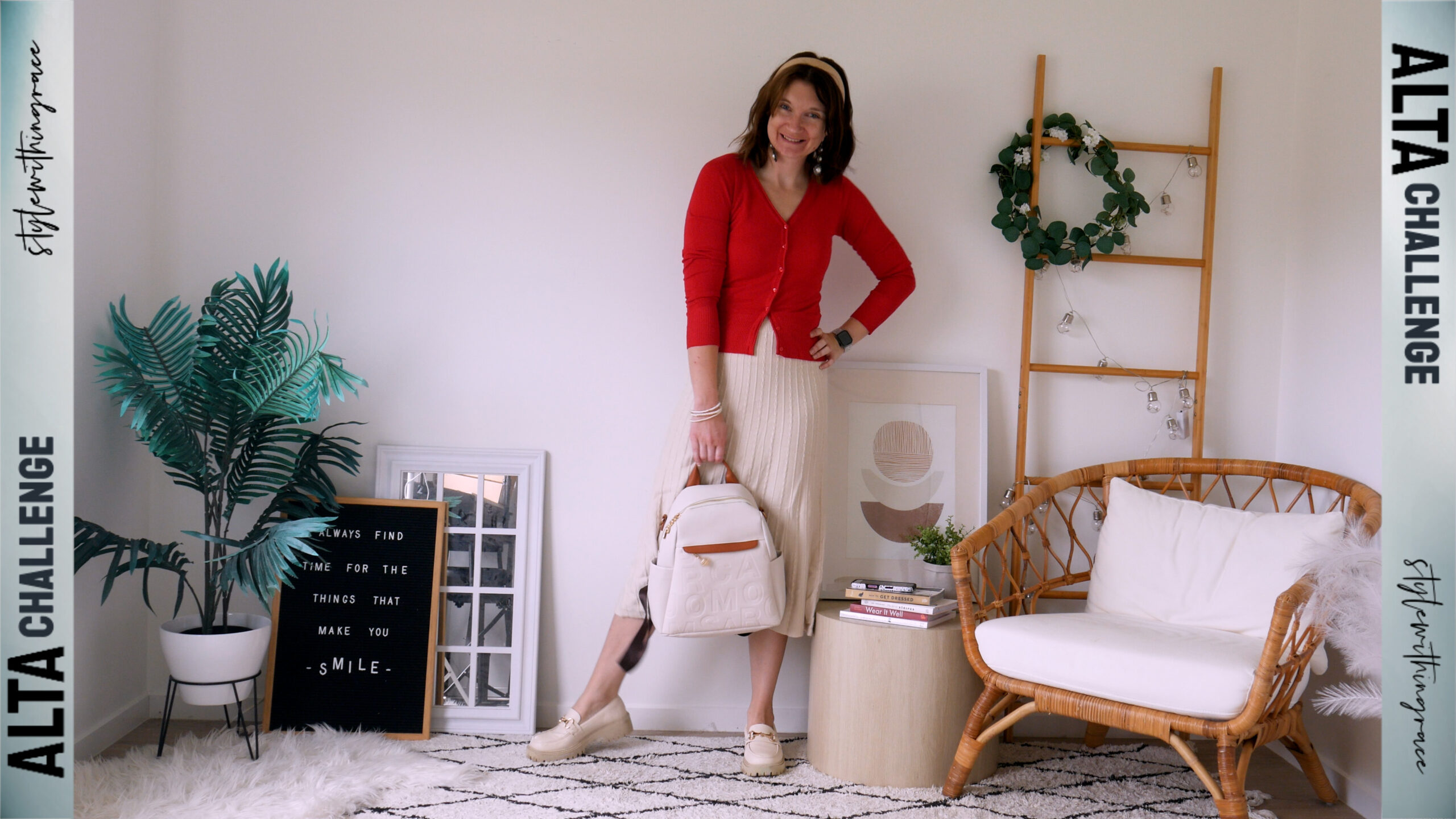
Surprisingly, it was actually quite cute and not something I would’ve put together myself.
To make it wearable, I added a white singlet underneath so I could drape the cardigan over my shoulders instead of wearing it properly. Then I kept accessories pretty minimal today: just some stacked pearl bracelets, my cream polka-dot headscarf, and my white Apple Watch. Much lighter than yesterday’s accessorising marathon.
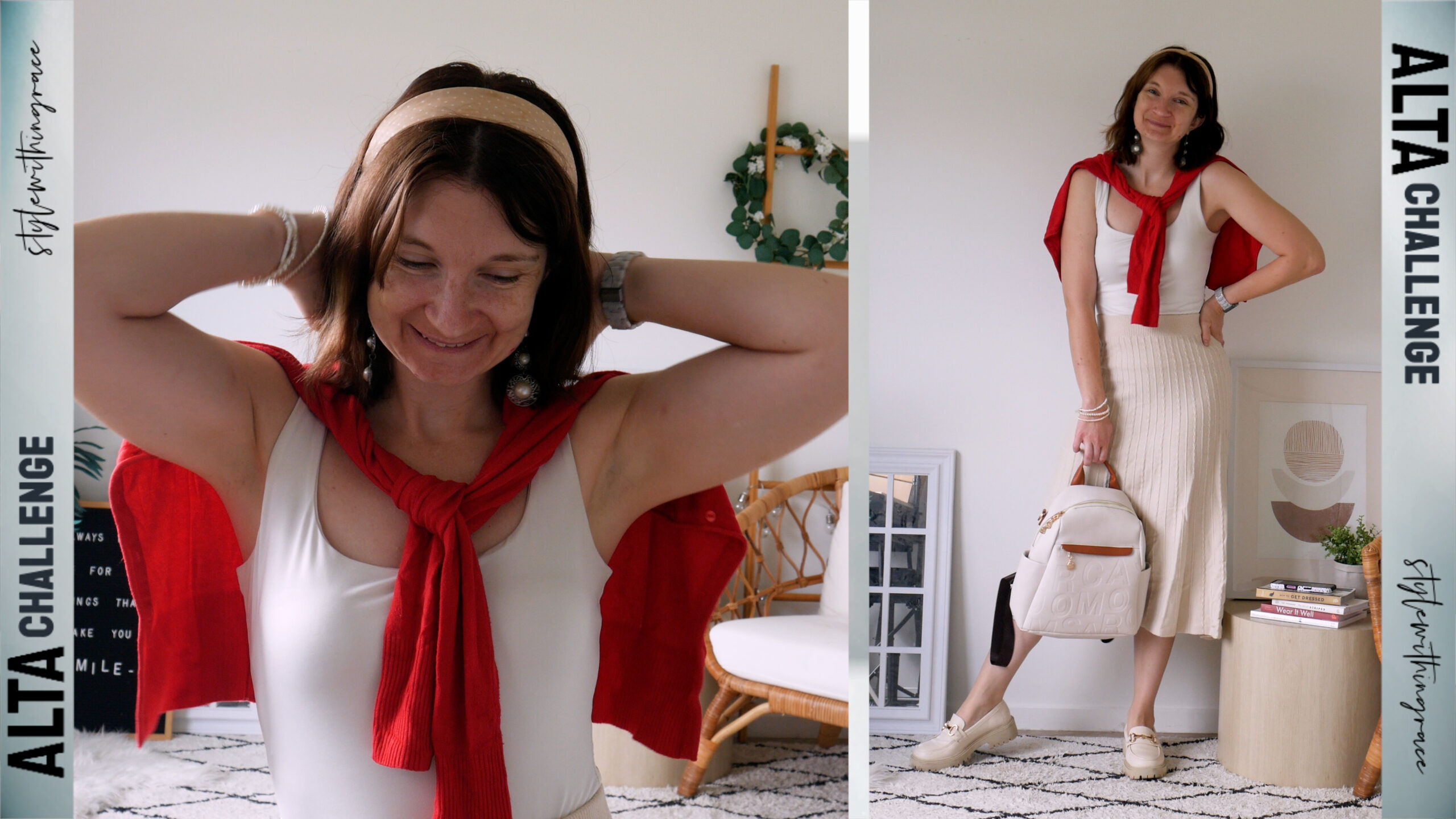
Overall, it was a solid outfit.A bit seasonally confused, but Alta’s creativity was definitely showing.
Day 03
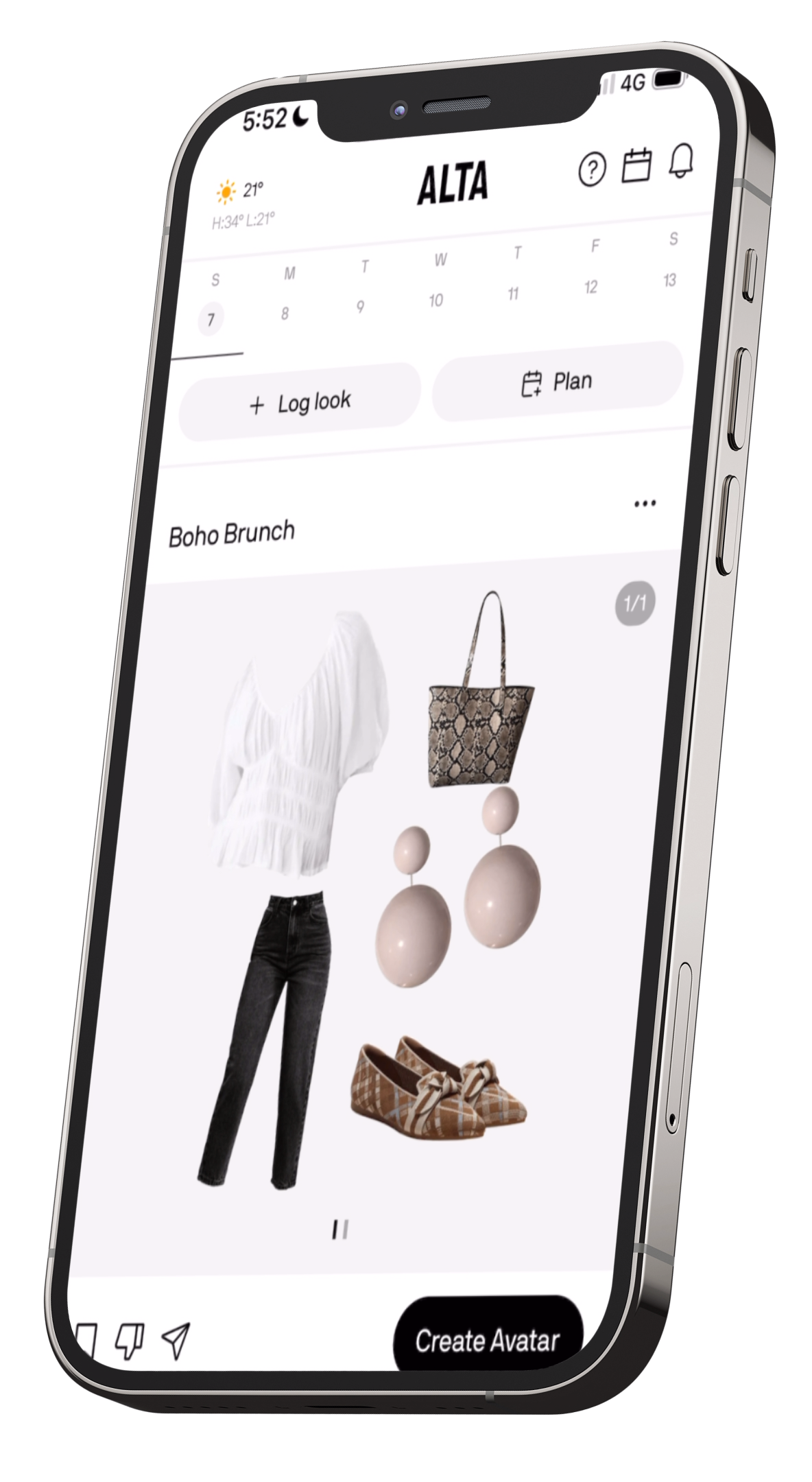
Today Alta gave me a white blouse, black jeans, a snakeskin bag, brown plaid bow flats, and pink ball earrings, a slightly quirky combo, but honestly pretty cute for a Sunday. It definitely ran a bit warm for most of the day, but once I was actually in the church service (with the Arctic-level aircon), it balanced out.
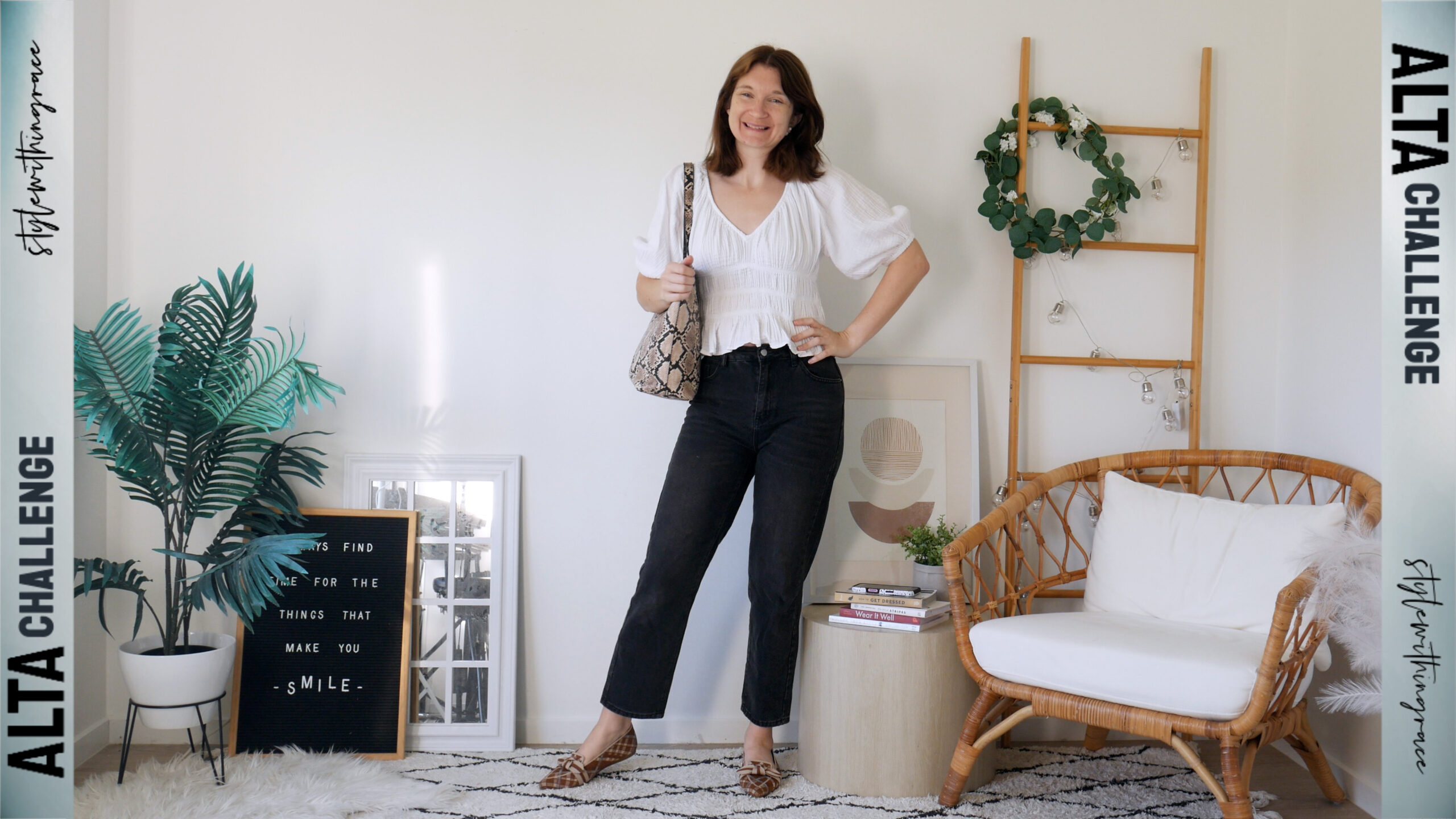
I added an oversized denim jacket, partly for warmth but also because it pulled in the little blue stripe on the flats and made the whole look feel more intentional. Accessory-wise, I kept things simple: stacked gold necklaces and my tortoiseshell-style Apple Watch band.
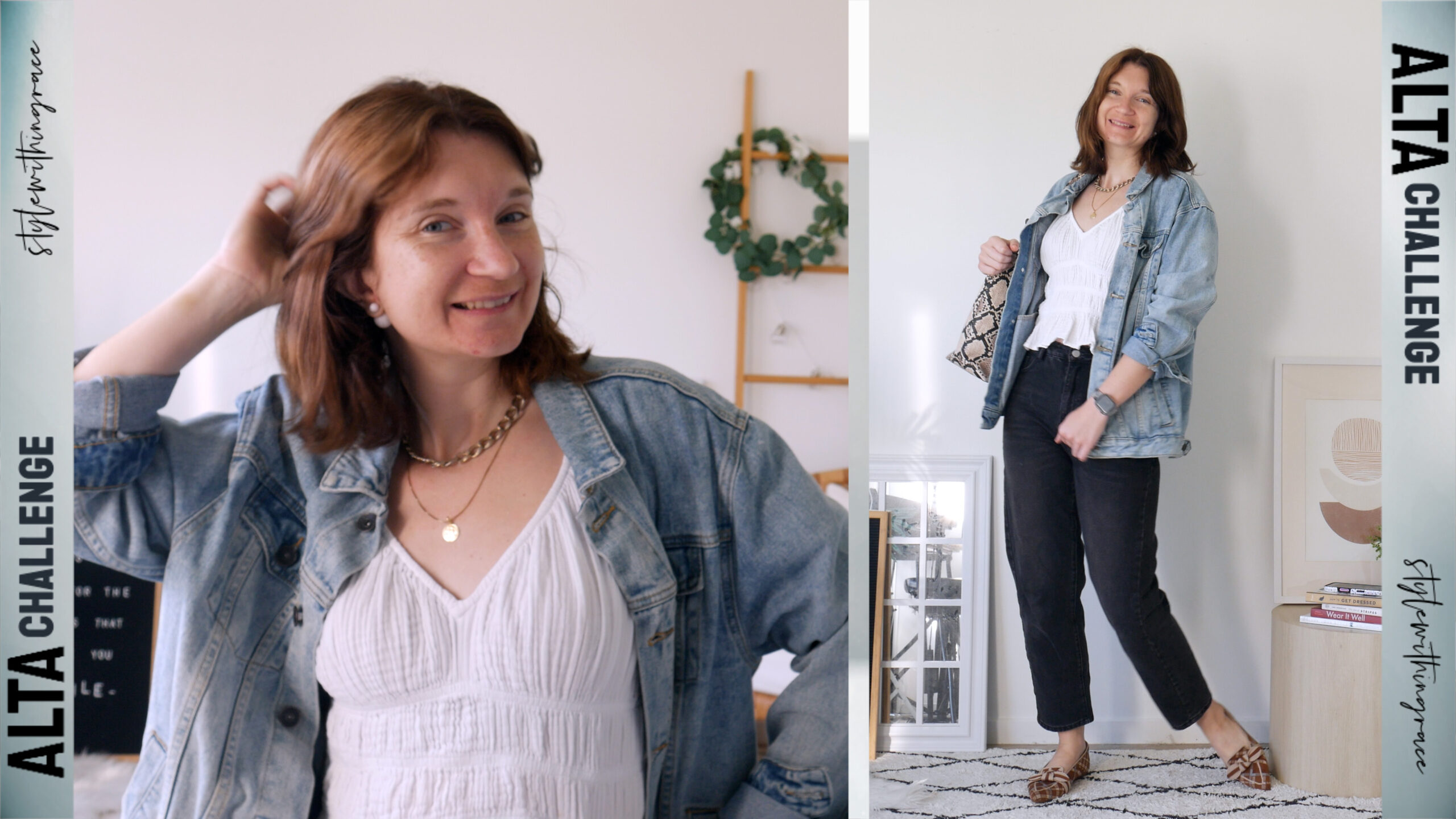
Overall, it worked really well for the occasion, polished, comfortable, and still interesting enough to feel like “me.”
Day 04
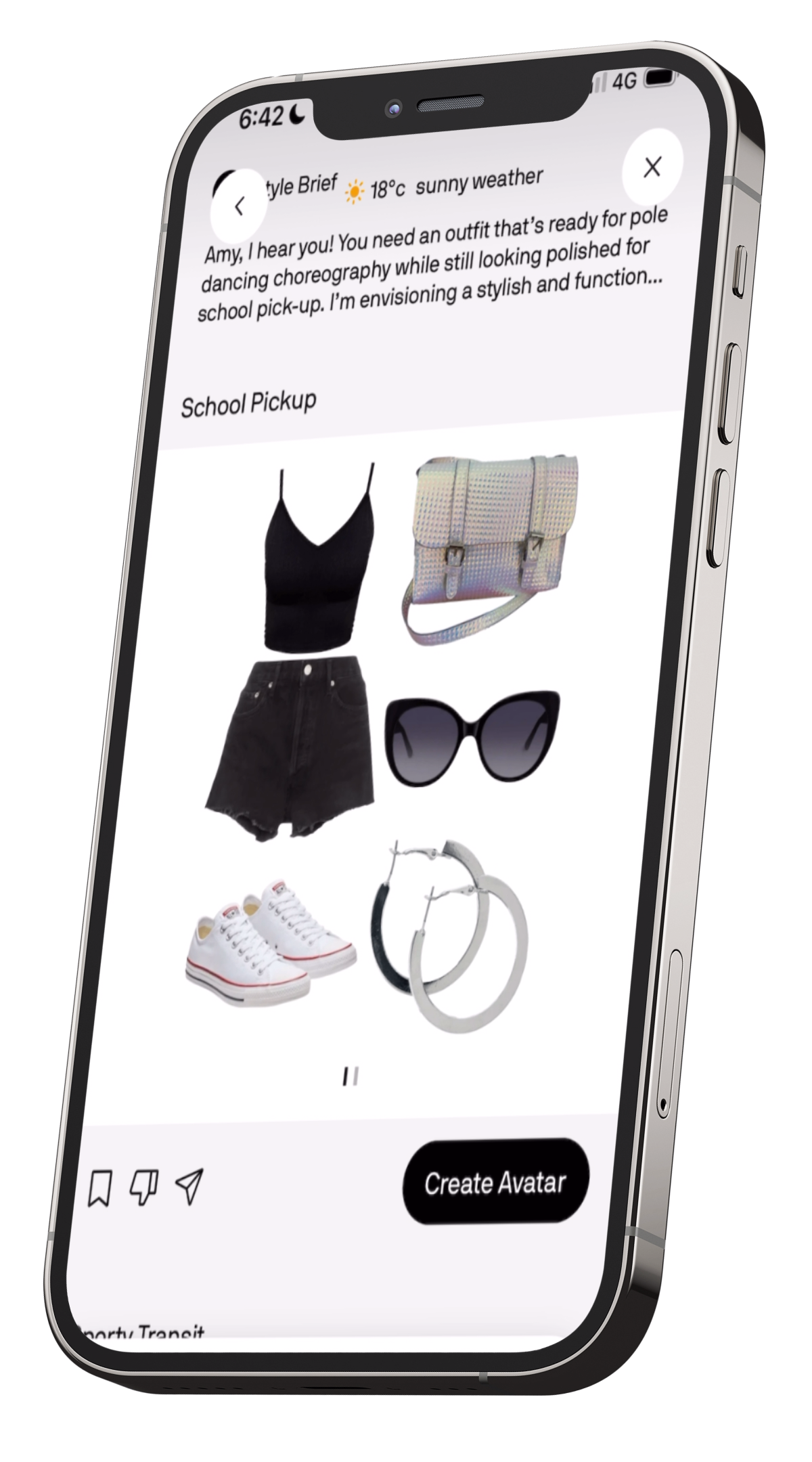
For the first day of handing full control over to the AI chat stylist, Alta gave me a very simple base: black denim shorts, a black cropped singlet, white Converse, silver hoops, black sunglasses, and a pearlescent cross-body bag. It definitely fit the activities I described for the day, practical, comfortable, and easy to move around in and I didn’t even need to layer pole shorts or a sports bra underneath.
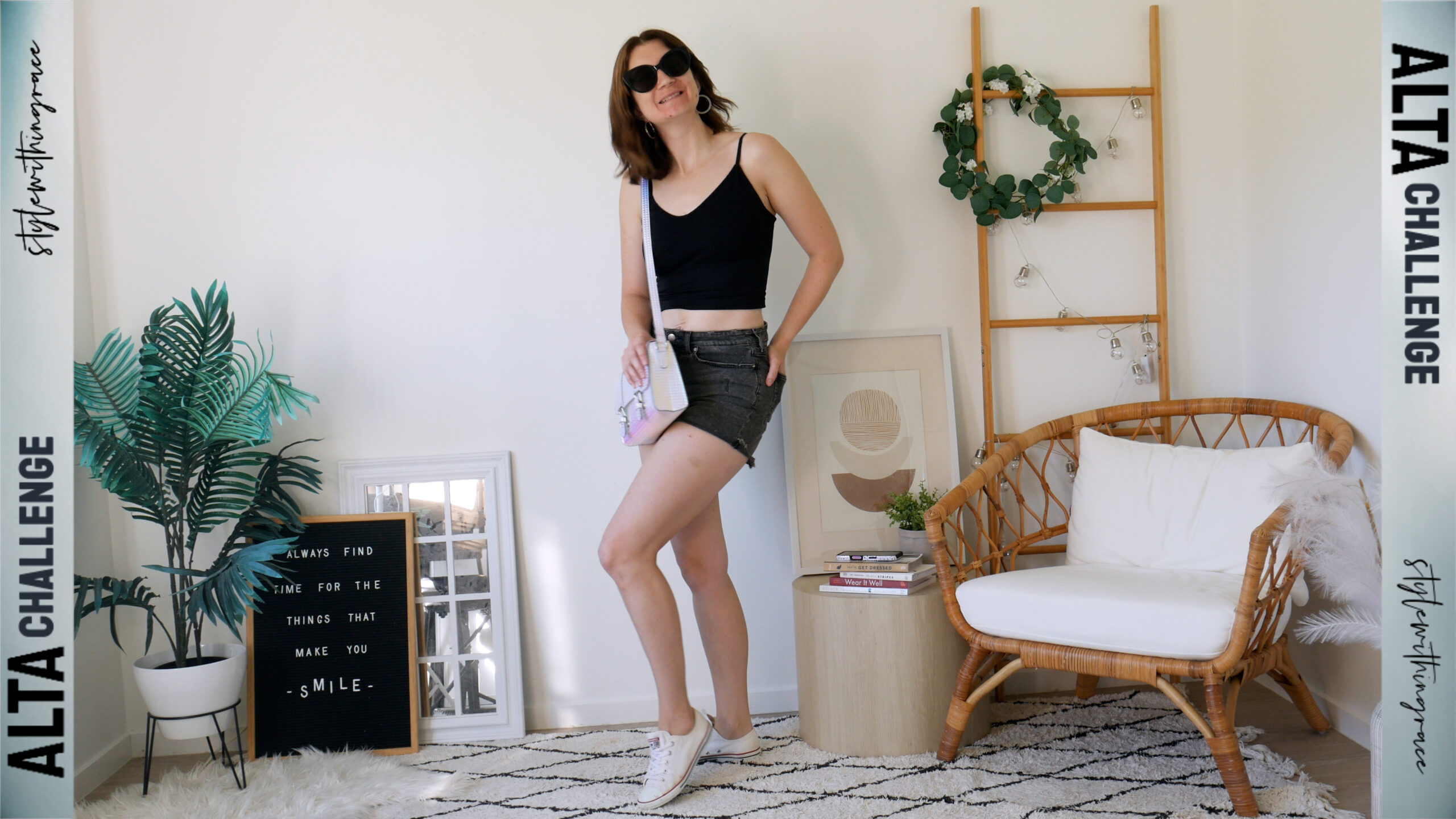
But as an outfit… it was a little boring.
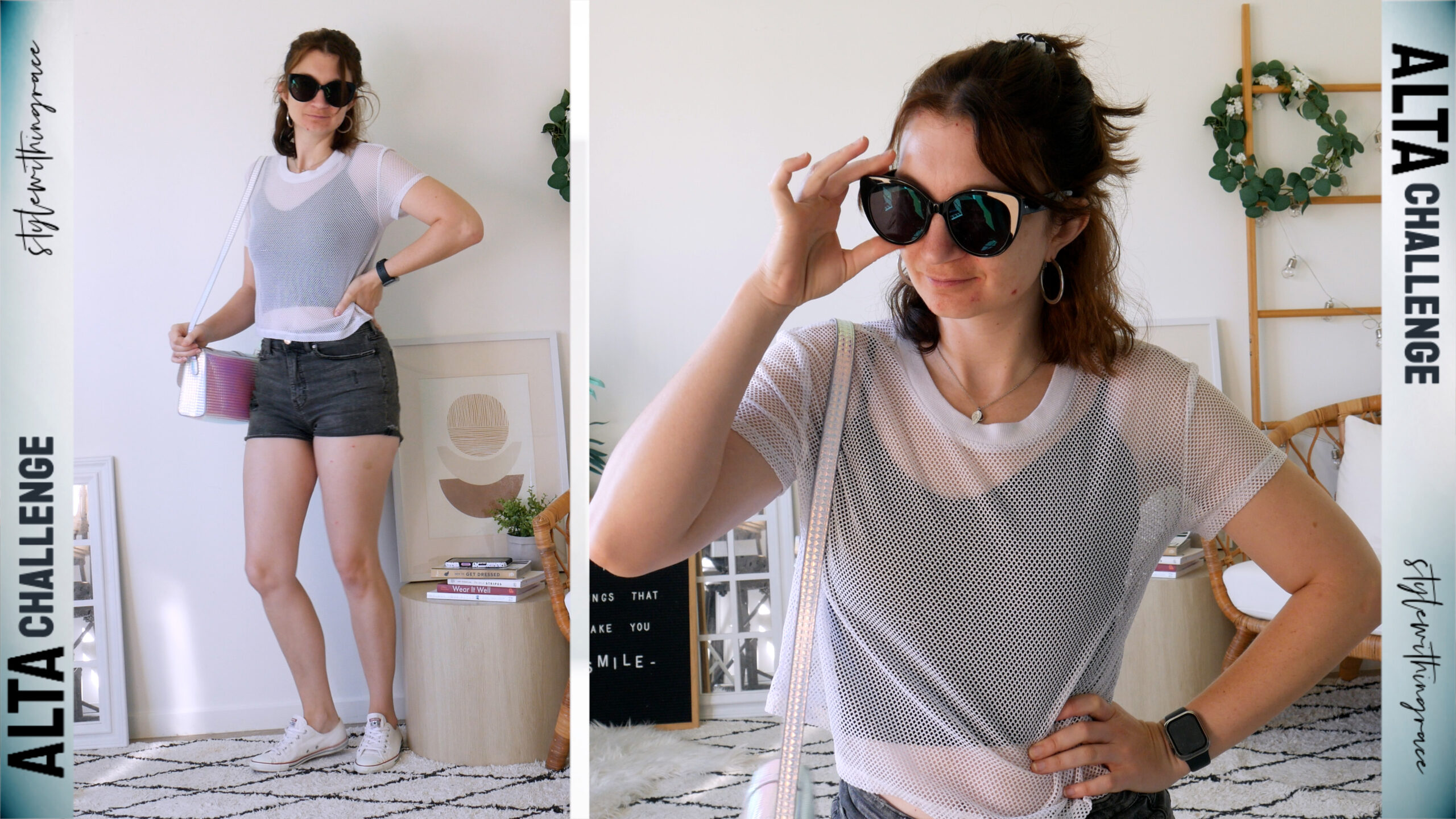
To make it feel more me, I added a white mesh t-shirt over the top for school drop-off and pick-up, a silver necklace with a purple pendant, and a black-and-white race-print scrunchie in my hair. Those little touches helped give it some interest without losing the casual vibe the AI was going for.
Day 05
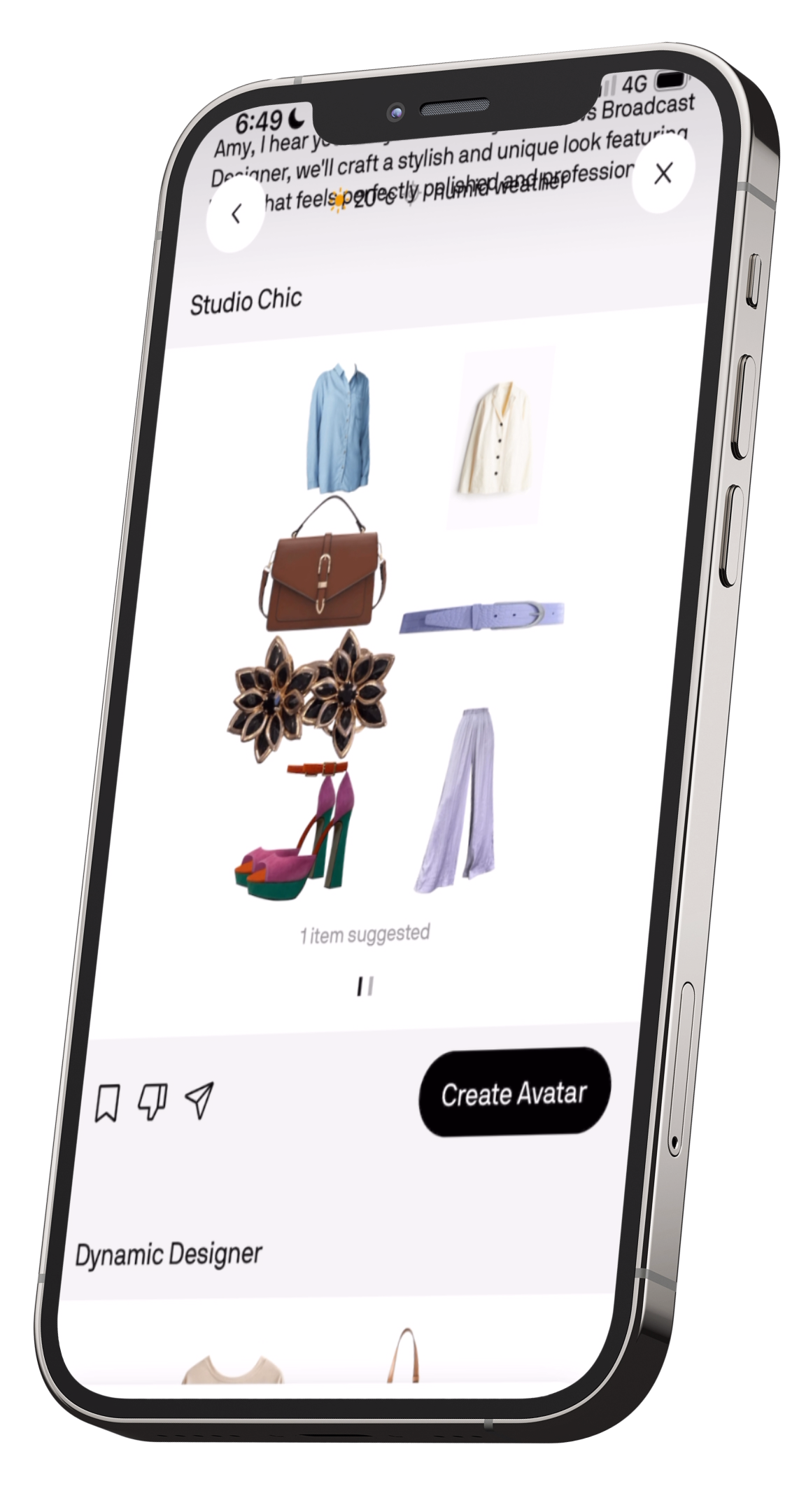
This time I used the stylist feature to dress me for work and… the outfit was decidedly not good. It chose purple pleated wide-leg pants with a chambray shirt, topped with a white blazer (way too hot!), then paired it with the orange–magenta–teal colour-block heels, a purple belt, a brown briefcase bag, and black-and-gold rose studs.
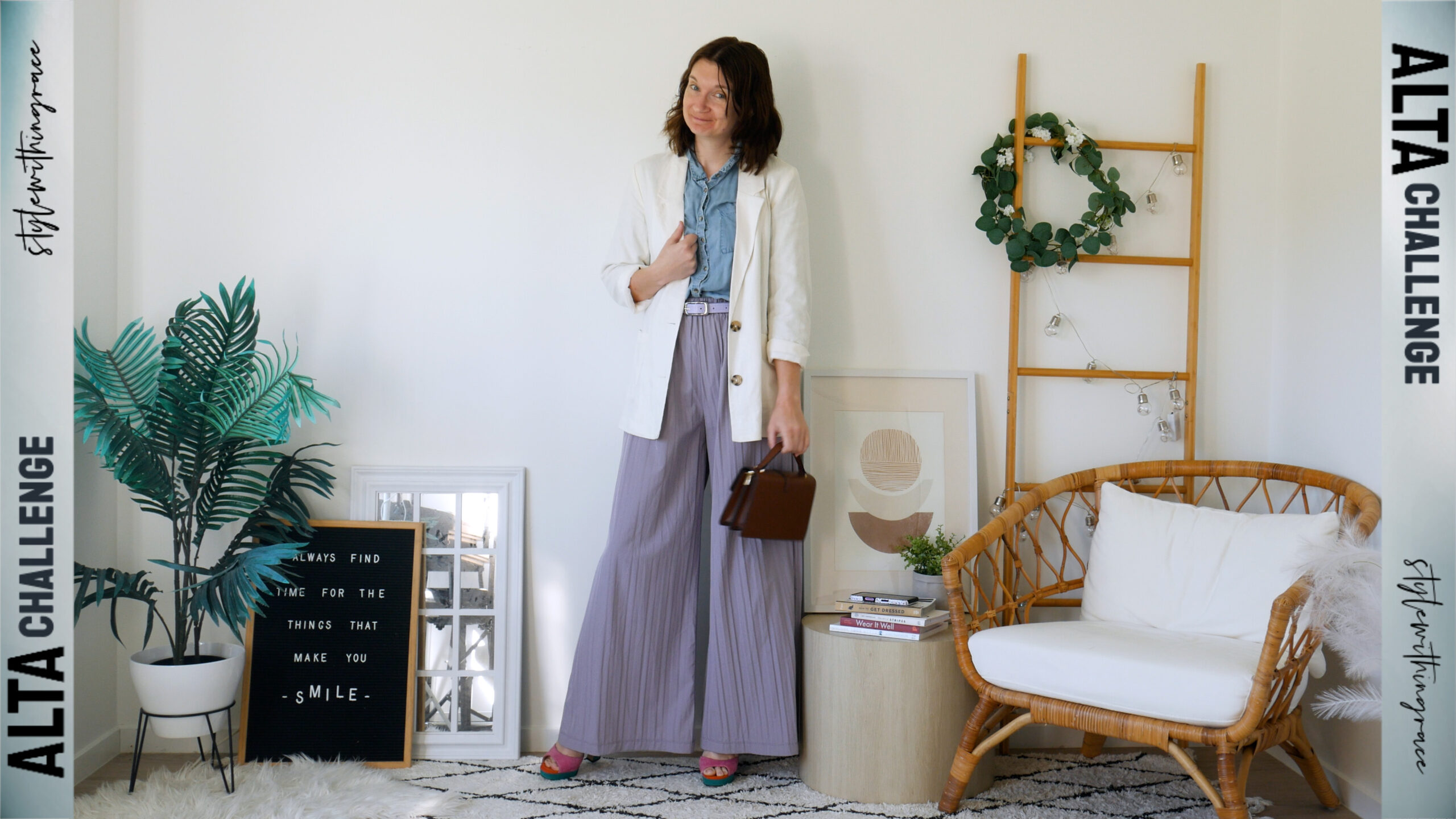
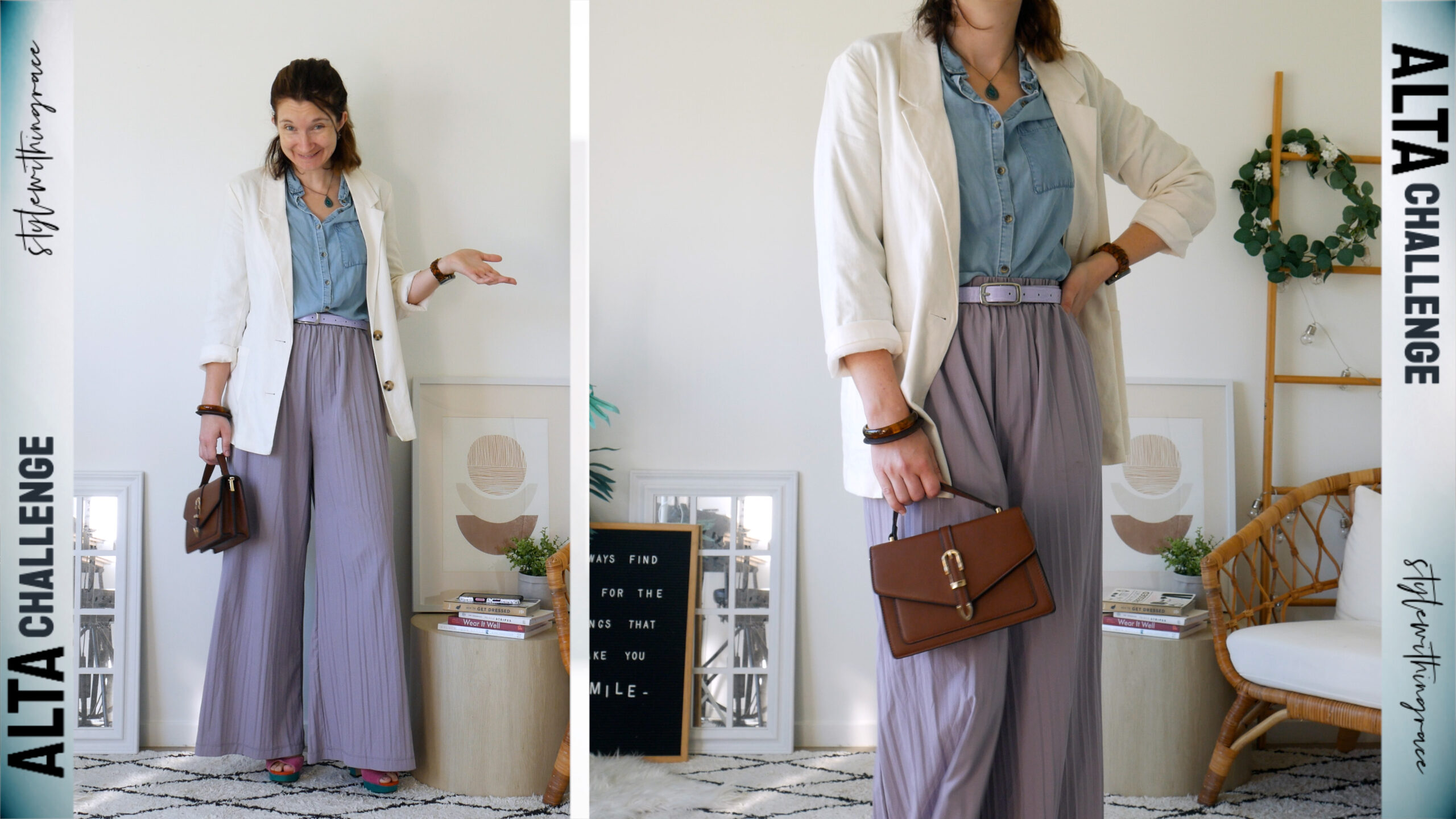
I will give it this: it tried to be colourful and creative, which I actually appreciate because most AI stylists play it painfully safe and boring. But in this case, the creativity just didn’t land. The colours were random instead of cohesive the shoes had nothing to do with the rest, the brown bag made zero sense, even the black in the earrings felt tossed in. And the whole thing was just… hot.
I tried to salvage it by adding brown wooden bangles to make the bag feel intentional and a teal pendant necklace to pull from the shoes, but honestly there was no real saving this one.
Just out of curiosity, I played around with what I would’ve swapped to make it work: ditched the blazer, swapped in a teal-green sleeveless mock neck, changed the belt to orange to tie into the heels, went with my pastel gold Apple Watch, gold hoops, gold hair clips, and my pearlescent cross-body instead of the brown. It was definitely better as a whole but still not a favourite.
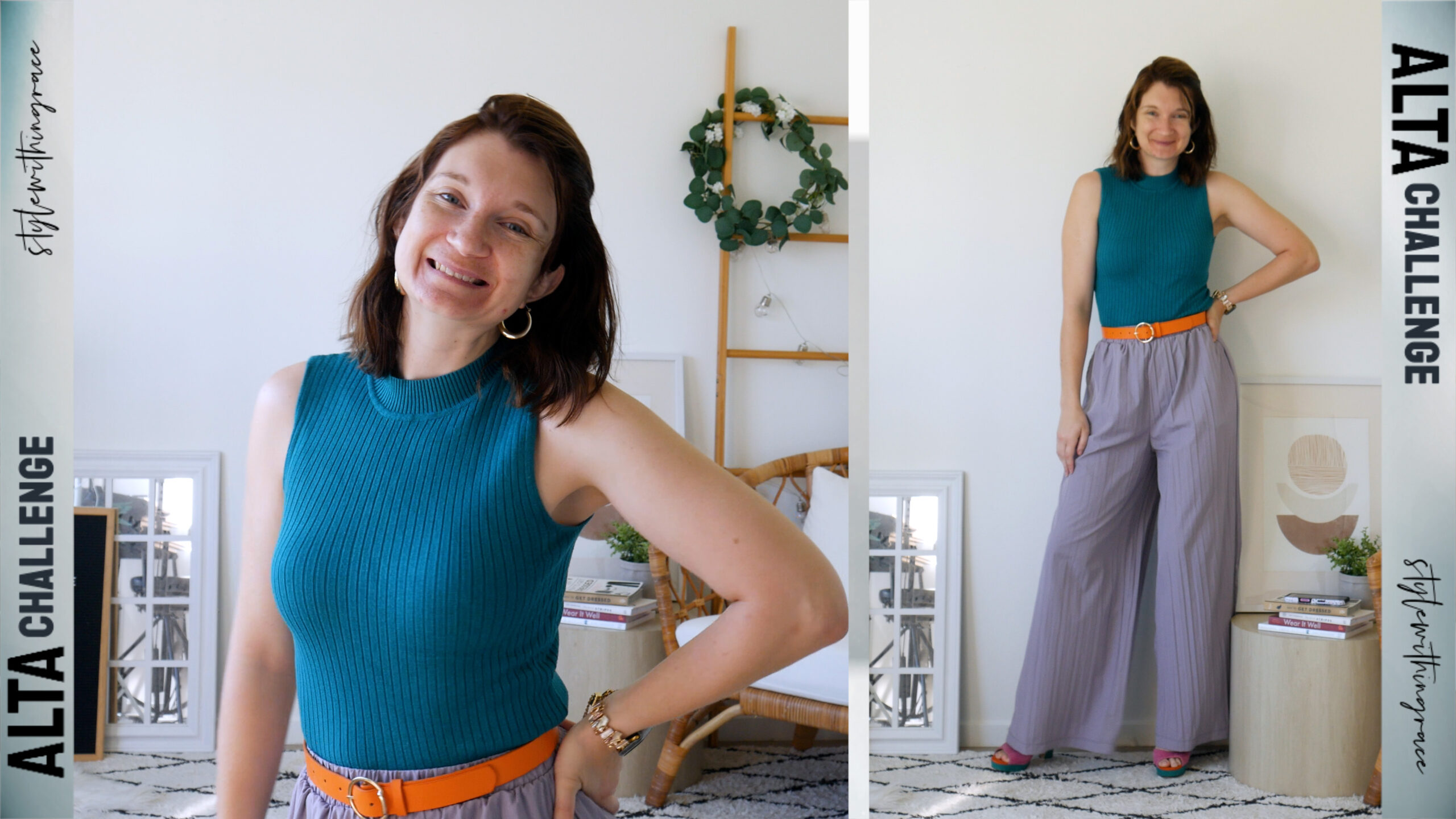
And in the end, for the challenge, I was stuck being too hot all day (confession: I didn’t actually wear the blazer at all).
Day 06
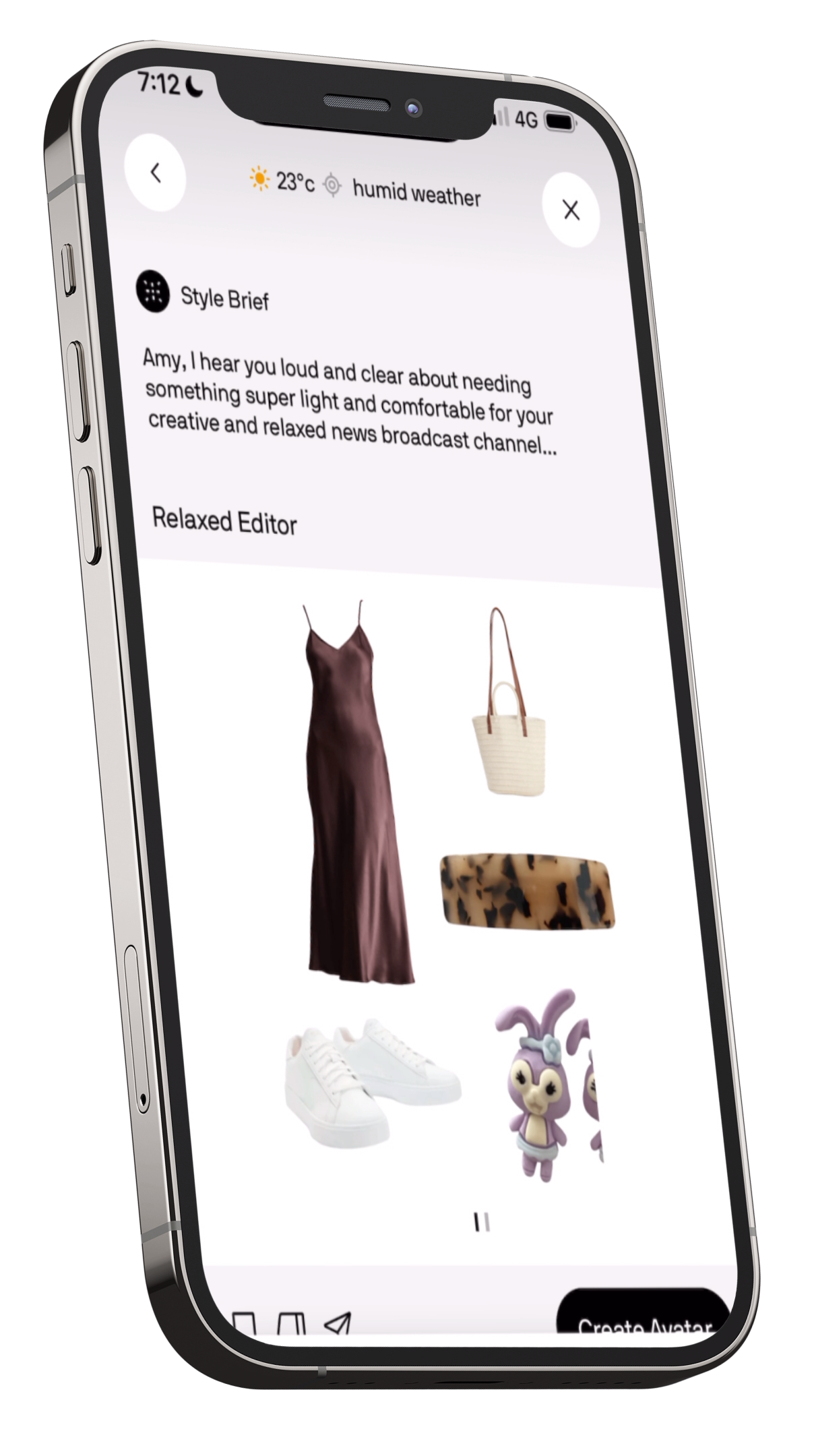
Another work outfit courtesy of the AI stylist chat. This time I tried to be really specific in what I wanted, hoping I’d get something better…and cooler. It gave me a brown silk midi dress, white sneakers (even though I specifically said I prefer heels), a straw handbag, and a brown hair clip.
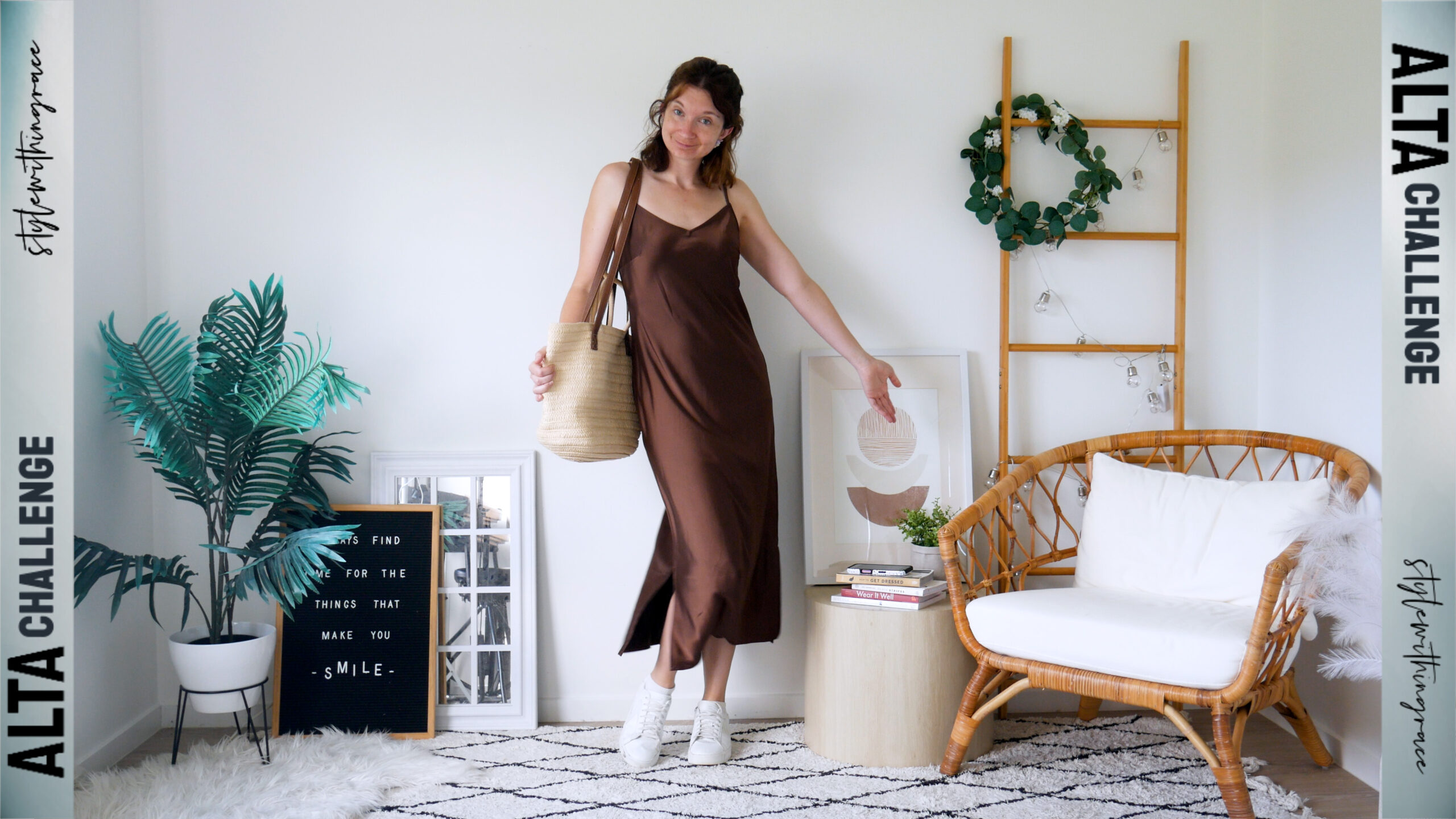
Honestly, not too bad overall, except for the completely random pastel purple and blue bunny studs (a Mother’s Day gift from my daughter). Cute, but absolutely out of left field.
It also kept talking about “breathable fabrics” while handing me silk, which is very much not breathable. Even in just the dress alone I was sweating before I even got to work.
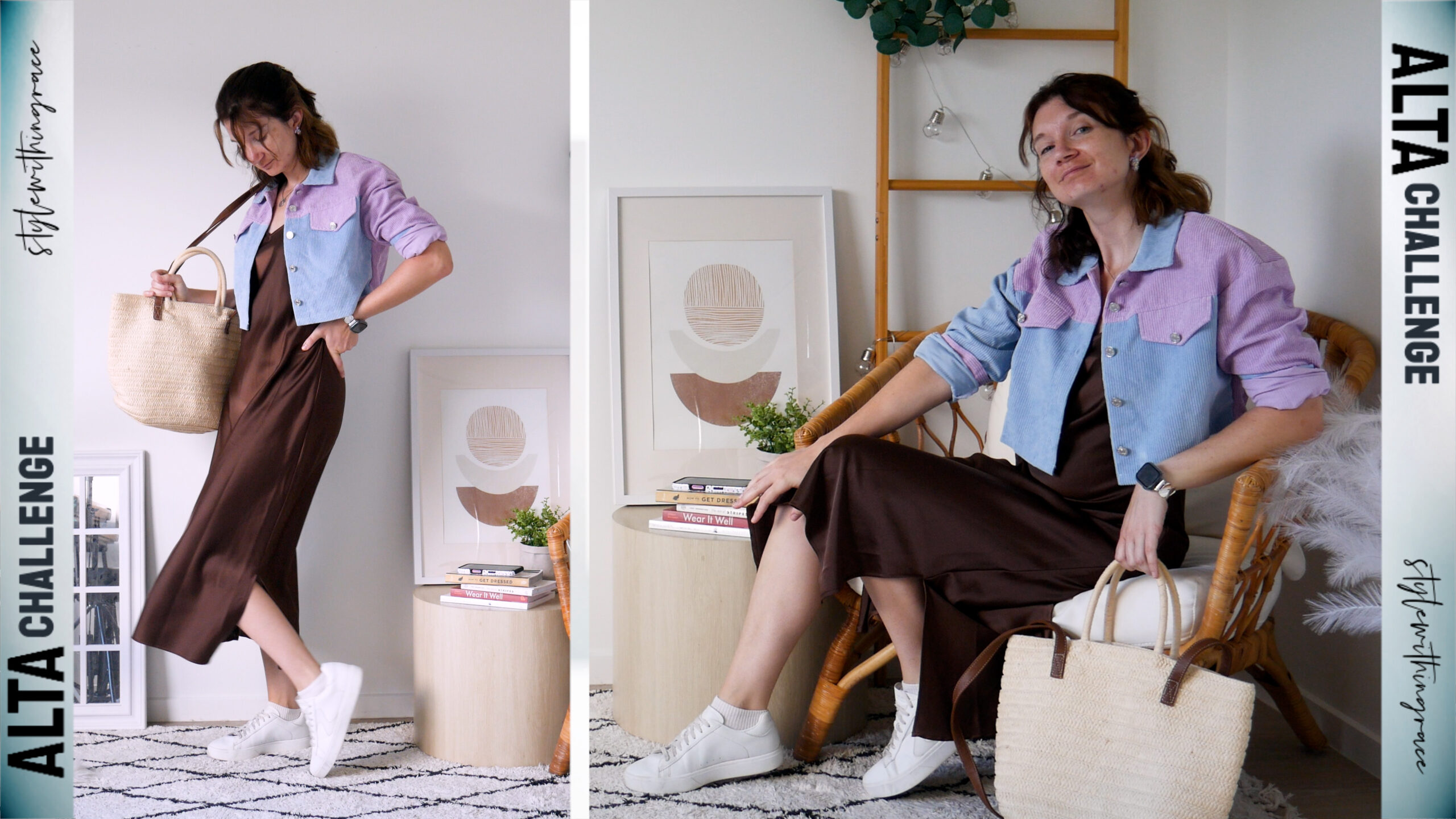
To try and make the earrings make sense, I added the new purple and blue corduroy cropped jacket I’d just received. I didn’t think I’d actually be able to wear it because of the heat, but work’s air con is finally functioning well enough that I could keep it on briefly. I also added my silver Apple Watch band and a silver pendant necklace with my kids’ names. it felt fitting with the sentimental earrings.
Outfit 07
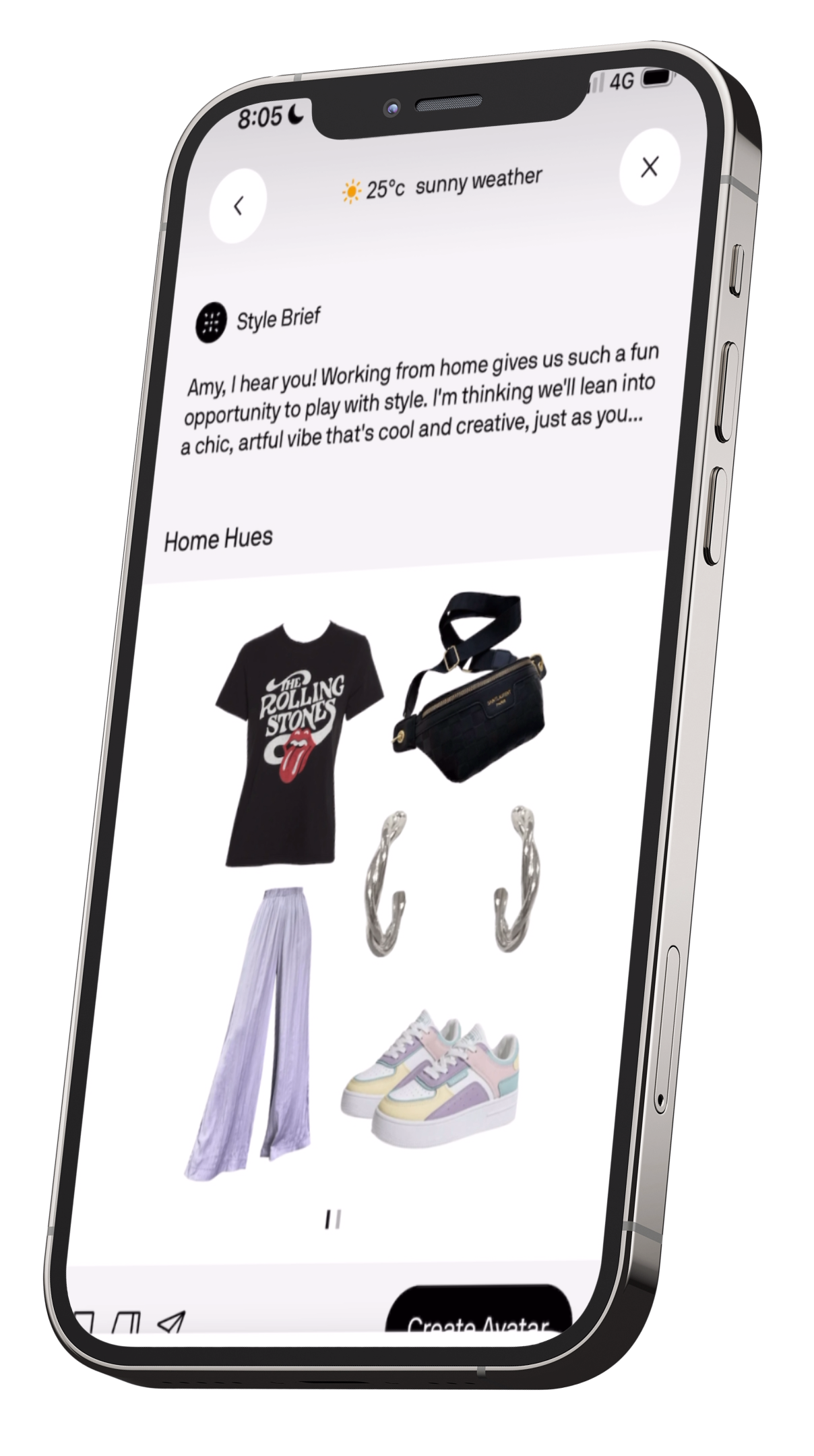
For the last day, it ended up being a work-from-home day instead of a regular office day, so I was like: okay Alta, give me something creative, unique, interesting. Let’s go! Just… not too hot please!
And what does it pull out? The wide-leg pleated purple pants. Again. It even called them “my beloved wide legs,” which made me laugh. It paired them with my pastel-colour sneakers, a black Rolling Stones band tee with a pop of red in the graphic, a black bag with gold buckles, and small silver hoop earrings. Not exactly the creative explosion I was hoping for, but fine. I put it on.
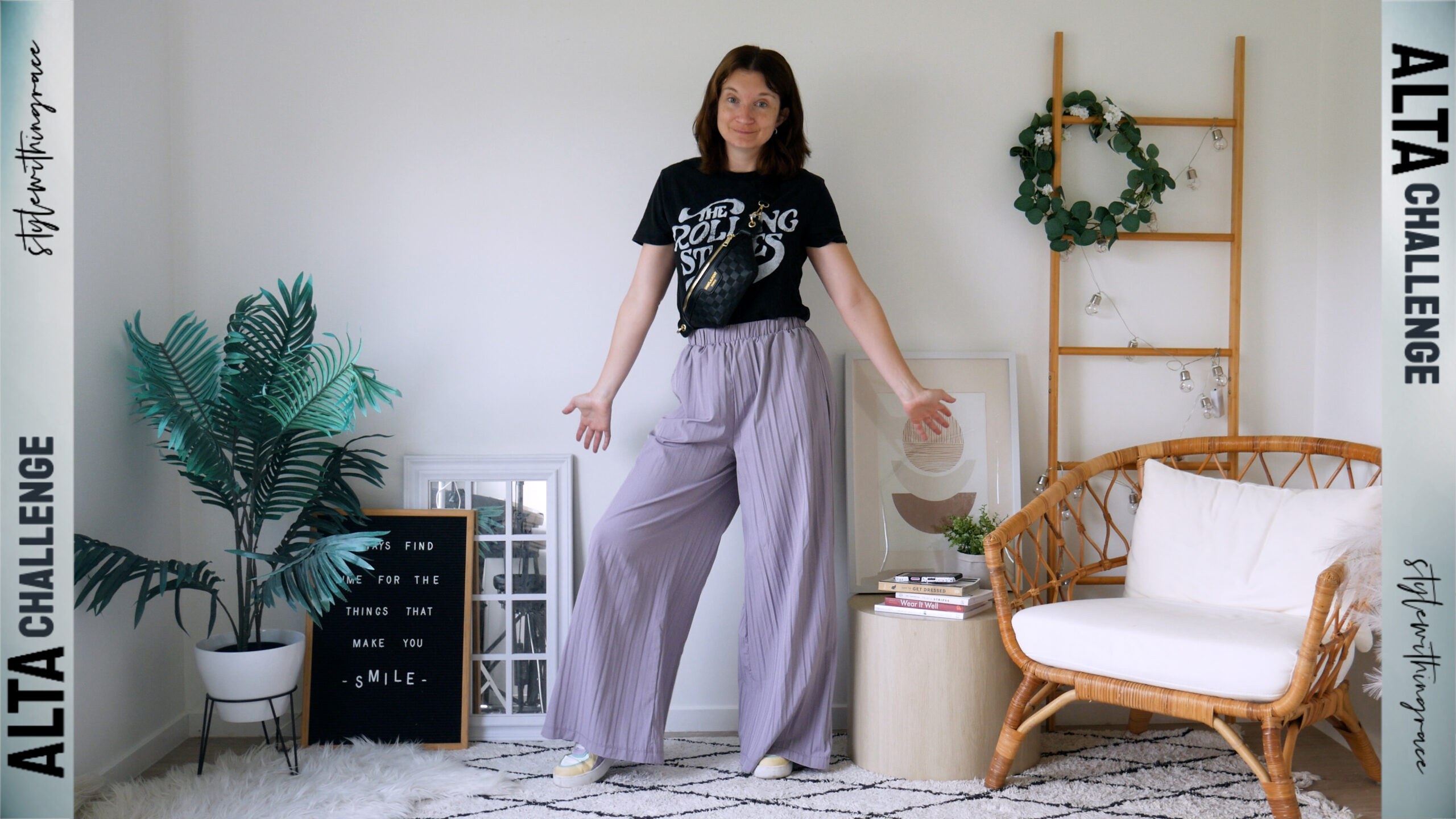
It wasn’t bad. The mixed metals and that random hit of red were a little offbeat, but the whole thing was giving edgy sporty vibes, so I decided to lean into it. I added my burgundy red architectural sunnies to bring in more of that red (yes, I’m indoors at a computer, but they’re fashion sunnies. They barely block light anyway lol).
Then I added a black belt with a silver buckle to tie into the earrings, a chunky gold chain necklace to match the gold hardware on the bag, and stacked mixed gold and silver rings to really sell the mixed-metals moment. It added more intention and a bit more edge.
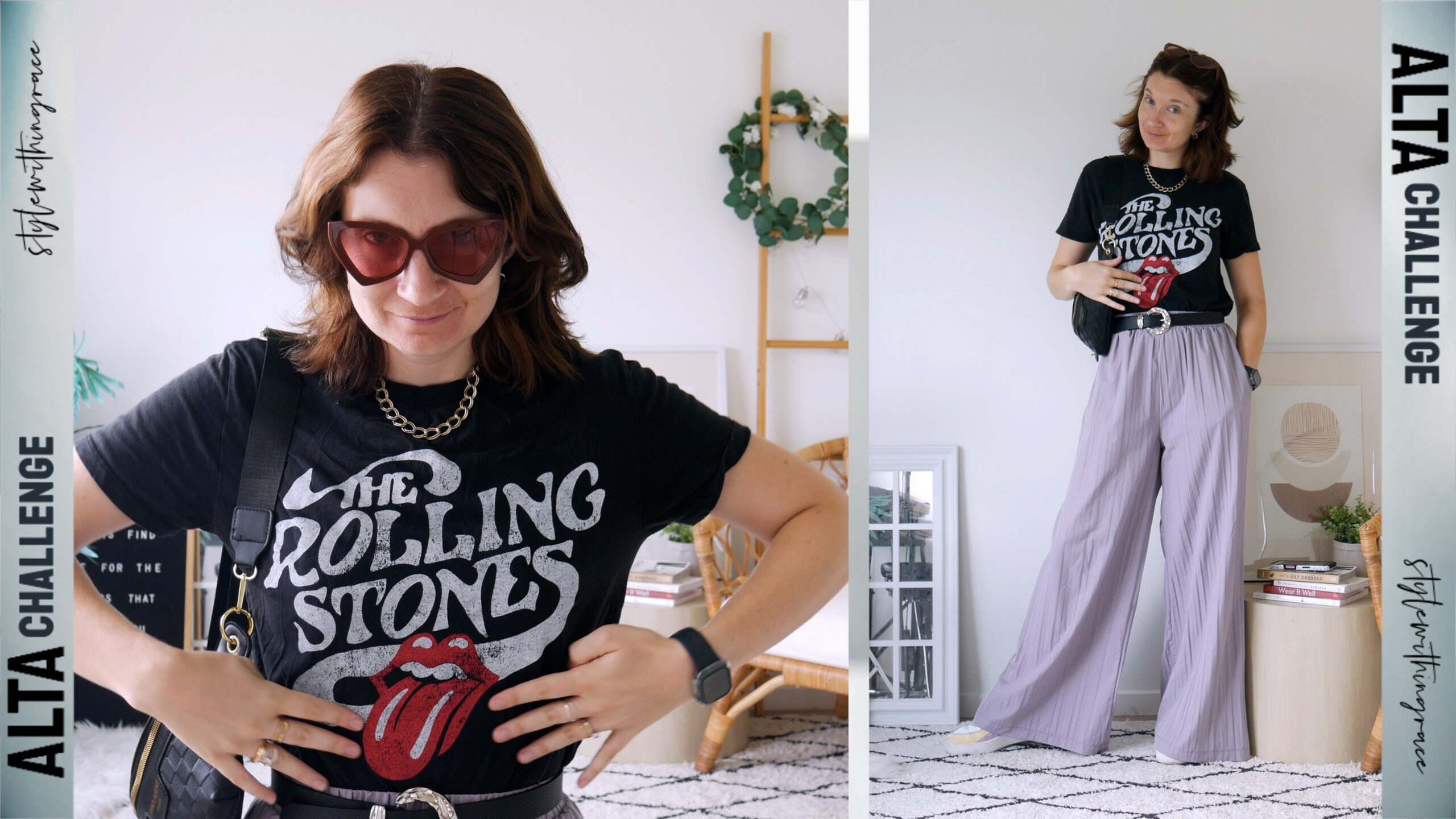
And now I was actually feeling the outfit! Definitely not something I would’ve put together without the prompt, but it looked cool… even though I was already sweating by 9am. At this point, I’m convinced Alta still has absolutely no idea how to dress someone for hot weather.
Best Features
One of the absolute best features is the AI Avatar. It tries your outfits on your personalised model, your body shape, your proportions, even your face. So when you’re previewing an outfit it actually looks like you, not a generic mannequin. It makes such a difference for visualising how something will sit or how the colours balance.
The AI styling in general is also one of the strongest I’ve seen so far. Even when it misses the mark with weather, the outfits themselves are usually wearable, interesting and not that super-basic “AI capsule wardrobe” energy a lot of apps default to. It tends to aim for thoughtful combinations without going completely random and chaotic.
I also love that you can thumbs down outfits and give feedback, and Alta will actually create style rules behind the scenes to adjust future recommendations. It genuinely feels like it learns from you over time.
The AI stylist chat is another standout. You can ask way more than just “pick an outfit for today”. You can get advice, ask styling questions, problem-solve outfits, or get ideas, and it almost always gives something genuinely helpful.
The Community tab is another big win. You can browse other users’ outfits, recreate them on your own avatar, and shop similar pieces from those looks. Seeing how outfits work on different bodies adds a genuinely useful layer of inspiration that most wardrobe apps just don’t offer.
Uploading your wardrobe is also pretty fast. It cuts out your items automatically and fills in most of the details on its own. I love that you can “prettify” an item so it looks cleaner and more aesthetic in your closet view (although it generates more of a flat-lay version rather than a on-body version, and personally I still prefer the real-on-person look).
The “style this item” button is such a good feature too, instant outfit inspiration built around one piece.
And honestly… the fact that it’s free is wild considering how many premium-level features it already has.
Suggested Improvements
There are definitely a few areas that could be refined. The app can be a little slow at times, which interrupts the workflow a bit.
The outfit grid layout is very basic. Everything is auto-gridded and you can’t overlap or reposition items to create a cute montage or a more accurate outfit preview. I’d love the ability to drag pieces around to build a more visually appealing layout.
It’s also frustrating that you can’t add single items to the calendar without having them automatically become “a look.” Sometimes I just want to track that I wore the white sneakers, not build an entire outfit around it.
Also: you can only create avatars with up to eight pieces, which is tricky because a lot of my outfits have more elements. I did figure out a workaround… create the avatar with the main eight, then edit and add the rest but it would be great if it didn’t need a workaround at all.
The closet navigation is probably the biggest ongoing pain point. You can now switch to a 3-column view, which definitely helps, but it still involves a lot of scrolling once your wardrobe grows. I’d love even more control here, ideally a 4 or even 5-column thumbnail view, so you can get a proper visual overview at a glance.
And finally, the layout and user interface are better than they were when I first downloaded, but navigation can still be a bit confusing. For example, it feels a little odd that your saved looks and Trips are tucked into the Profile section, while the Wishlist is buried in the Closet instead of being alongside the Shop.
Some slight reorganising could make it much more intuitive to find past outfits, browse friends’ wardrobes, or shop for new pieces.
Overall, Alta is a really impressive closet app with genuinely useful and innovative features, especially considering it’s still fairly new. The core tools are strong, the AI is surprisingly capable (and actually fun to use), and the personalised avatar alone is enough to make the experience feel next-level.
When I did my styling test, the closet app was in a slightly different state, and with how frequently Alta is updating and iterating, I can only imagine it’s going to get better and better, though that also means this review might be out of date sooner than you think!
And speaking of updates, I’ve got some insider info straight from the Alta team about the latest features and tweaks that aren’t widely known yet.
The Best Dressed community feed I just walked you through is actually the newest major addition, and the team shared that they’ve been genuinely moved by how kind and uplifting the comment section has become. Alongside that, they’re quietly continuing to refine the AI and sprinkle in a few fun avatar easter eggs behind the scenes.
With a bit more refinement in layout, organisation, and speed, Alta could easily become one of the best styling and closet apps out there.